Skip to content
  • Blog Home
  • EMC Website

Educational Media Center

Leeward Community College

Tag: workshop

Ed Tech, EMC, Instructional Design

Adventures in Canva Teams 

The Instructional Design and Technology (IDT) team recently wrapped up our Professional Learning Community (PLC) focused on Canva. Each participant received a 1 year license to Canva Team, a very capable, collaborative, online graphics creation platform. One of its strengths is suggesting templates, themes, and imagery to get started, which can inspire beginners and advanced designers alike to create appealing and effective graphics to inform and promote their objective.

As a part of being in the Canva PLC and receiving a 1 year paid license, participants were asked to complete milestones such as attend a required Canva PLC Kick Off Orientation and present at a capstone Showcase of their work and audience feedback.  In between we offered multiple synchronous check-in opportunities as well as an asynchronous Google Group.  The purpose of the Google Group, essentially an email list serv, was to grow a community of learning, receive and respond to questions to support each other in the exploration and inspiration while using Canva.  Thank you everyone who was interested in participating and congratulations to those who successfully completed the requirements of the Canva PLC!  (Anuschka Faucci, Ashley Biddle, Chelby Onaga, Cheryl Urasaki, Hauʻolihiwahiwa Moniz, Myat Thor Thiha, Nikki Manuel, Syreeta Washington, Allan Nebrija)

A few examples from our PLC:
Collage of Canva Samples.

March 25, 2026March 25, 2026by leewardemc
EMC

EMC Workshops on the Go

Join us for a new, microlearning workshop series featuring interactive activities using: Zoom.Zoom Stamp example

Zoom Polling example Zoom Breakout Rooms example

Our first microlearning series consists of four instructional examples using the tools in Zoom to support interaction and engage your students in your Zoom classrooms. These include:

  • Stamps
  • Polling
  • Breakout Rooms
  • Remote Control

How This Works

  1. Simply register once for this workshop series by clicking the button below and you will receive an email on Mondays and Tuesdays (see dates below) featuring examples of using Zoom to support interaction and engage your students.
    • Monday 11/29: Stamps
    • Tuesday 11/30: Polling
    • Monday 12/6: Breakout Rooms
    • Tuesday 12/7: Remote Control
  2. When you receive the email, take some time to review the contents. Give it a try, too, and use the resources for additional help. Reflect on how you can apply it in your classes. Jot down some ideas.
    Come to our optional Virtual Open Lab (Zoom sync session) on Thursdays at 1:00-2:00 p.m. to further engage in your learning by practicing what you learned with your peers, asking questions, getting ideas for your classes, etc.

    • Thursday 12/2: Stamps and Polling
    • Thursday 12/9: Breakout Rooms and Remote Control
  3. Furthermore, there will be an opportunity to earn a digital badge credential for this series by applying your learning. More details to come later for those who register.


Thanks for taking the time to visit our EMC Blog. If you have thoughts, questions, or feedback, please comment below.  – Mahalo

November 24, 2021February 16, 2022by rinake
Ed Tech, EMC

Technology Enhanced Classroom (TEC) + Hybrid Kit

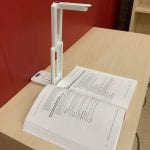
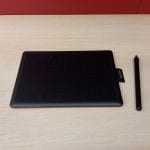
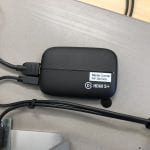
Document camera and open bookGraphics Tablet HDMI Capture Card Zoom CameraWireless Microphone

For a number of years Leeward CC has maintained a type of technology classroom known as Smart Classrooms.  Leeward Smart Classrooms are classrooms that have been enhanced with college supported teaching technologies such as an internet connected computer (Macintosh with the option to load virtual Windows operating system), computer projector with screen, amplified speakers and a laser pointer. The college has begun phasing out Smart Classrooms and shifting to Technology Enhanced Classrooms (TECs) which are built upon a sustainable infrastructure.

The TECs include a college supported, internet connected computer (Macintosh with the option to load virtual Windows operating system), a laser video projector with screen, amplified speakers and a laser pointer. What you may not see on the surface is the behind the scenes infrastructure (cabling, software and controllers) that enable future replacement and upgrades to individual components over a longer period of time.

Speaking of time, as you are probably aware at this moment much of our college courses are being delivered online.  In planning for a future in which we will return to mix of online and in-person we may also experience growth in the hybrid delivery modality.  In support of hybrid delivery the college has assembled “Hybrid Kits” and integrated them into the TECs.  A TEC + Hybrid Kit is comprise of the TEC technologies with the addition of document camera, HDMI (input) capture card, a second web camera, a graphics tablet and a wireless lanyard microphone.

Learn more about these Hybrid Kit technologies and how they can integrated into your hybrid teaching below.

Document Camera

Looking for a way to capture an object or a simple demonstration to share online through Zoom or through a classroom projector in a socially distanced classroom, consider using the Elmo document camera.  Document camera devices are a part of the Hybrid Kit installed in TECs, in addition a limited amount that are available for loan through EMC AV Services.

Document cameras:

  • Are flexible, high resolution, easy to use.
  • Can be used with Zoom online conferencing.
  • Can zoom in and to show small details of three dimensional objects.
  • Have a high quality camera for capturing printed text.
  • Capture handwriting and diagrams written on paper (analogous to using an overhead).

(Full video 50 min.)

HDMI (input) Caption Card

Expand your presentation possibilities, incorporate video from auxiliary devices. Share content from a connected external video source through your Zoom session. The Hybrid Kit includes an HDMI (input) capture card that will allow you to accomplish this. In addition to this a limited number of capture cards available for loan through EMC AV Services.

Possible devices:

  • DVD or Blu-ray player
  • Camera
  • Document camera
  • Microscope
  • Laptop, Chromebook

(Full video 6 min.)

Second Camera

Step away from the lectern computer and be seen! Learn about our latest addition to the Hybrid TECs, a tripod mounted camera and microphone. Great for capturing wide shots (with audio) of your in-room audience or of yourself teaching with Zoom. In addition to this a limited number of field kits with these Zoom video recorders are available as well as a few auto tracking OBSbot web cameras, available for loan through EMC AV Services.

Tripod mounted camera:

  • Can be used with Zoom for online conferencing.
  • Can be re-positioned to capture different perspectives.
  • Has a built in microphone.
  • Can be used for making recordings.

(Full video 5 min.)

Graphics Tablet

Hybrid TECs are now equipped with a Wacom One graphics tablet. Experience writing, drawing diagrams or annotating on the Zoom whiteboard using a tablet and stylus (Tablet is approximately 6″ x 3.7″, not wireless). In addition to this a limited number of larger wireless graphics tablets available for loan through EMC AV Services.

(Full video 6 min.)

Wireless Microphone

Clear and intelligible audio is very important to remote audiences.  The Hybrid Kit includes a wireless lanyard microphone to support your movement throughout the classroom.

(Full video 2 min.)

Resources

Document Camera (Full video 50 min.)

  • (00:10) What can a document camera do?
  • (02:00) How can I get access to an Elmo?
  • (04:45) Modeling use of document camera supporting a learning activity
  • (09:22) Modeling Zoom Annotation.
  • (08:30) Modeling Wacom tablet.
  • (12:10) Alternatively consider writing or diagraming on plain white paper
  • (13:29) Setting up Elmo camera
  • (19:00) Audience engagement/ parts identification activity
  • (22:40) Operating Panel (Buttons)
  • (26:51) Audience engagement/ button identification
  • (29:00) Connecting Ports
  • (33:59) Supporting software (Zoom, Camera app)
  • (38:00) Software for recording a stand alone video
  • (40:00) Q&A: capture and save a still image
  • (45:00) Q&A: on length of equipment loan
  • (47:22) Q&A: additional use of Wacom graphics tablet

HDMI (input) Capture Card (Full video 6 min.)

Secondary Video Camera (Full video 5 min.)

Graphics Tablet (Full video 6 min.)

Wireless Microphone (Full video 2 min.)

Leeward CC EMC

  • Educational Media Center 
  • AV Services (inquire about loanable technology)
  • Leeward ITG Help Desk (trouble with TEC)
  • Educational Technology Consultation Request Form (request room orientation)
September 24, 2021February 16, 2022by bhirata
AV Services, EMC

New Tech + Workshops (Spring 2021)

Teach On, Power On Banner

We’ve got new technology equipment for use and checkout, and workshops to support your use of technology in the classroom, hybrid, and online! We hope to see you soon!

  • Accessibility Starter Series
    • Captioning Your Online Videos with YouTube on Feb. 19 at 2:30-3:30pm
    • Making Your Online Documents Accessible on Feb. 26 at 1:00-2:30pm
    • Making Your Laulima Content Accessible on Mar. 12 at 1:00-2:00pm
  • Tool You Can Use Series (feat. Smart (Hybrid) Classroom Technologies)
    • Tool You Can Use: Document Camera (ELMO) on Feb. 12 at 9:00-10:00am
    • Tool You Can Use: Video Recorder on Apr. 16 at 9:00-10:00am
    • Tool You Can Use: Elgato Video Capture Card on Apr. 23 at 9:00-10:00am
    • Tool You Can Use: Wacom Graphics Tablet on Apr. 30 at 9:00-10:00am
  • New Laulima Assessment Tools: Rubrics and Gradebook
    • Laulima Rubrics: Transparency, Consistency, Efficiency on Mar. 2 at 2:00-3:30pm
    • Laulima Gradebook: Transparency, Consistency, Efficiency on Mar. 9 at 2:00-3:30pm
  • From Classic to Fantastic: The New Google Sites Workshop on Mar. 23 at 1:00-2:30pm
  • Video Recorder Field Kit Workshop on Apr. 9 at 10:00-11:00am

[Read newsletter]

February 12, 2021February 12, 2021by rinake
EMC

Tech It Out Day 2020 Highlights

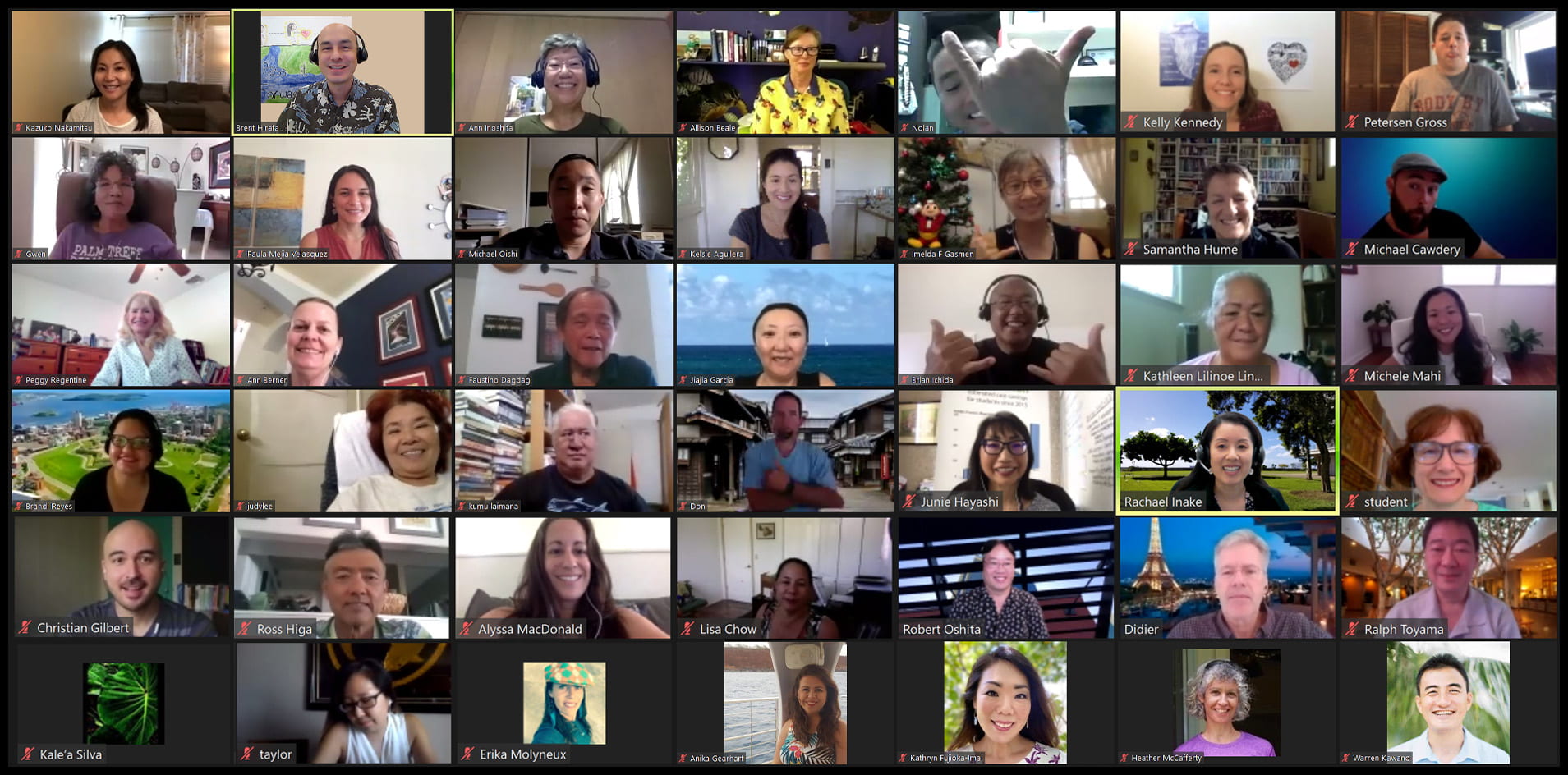
Tech It Out Day Group

Mahalo to everyone who helped to make this year’s Tech It Out Day a success in this new format, too, synchronously online! It was so good to see everyone’s smiling faces and connect with you even at a distance. Tech It Out Day is always a fun way to kick off the new semester!

We had over 50 participants this year join us via Zoom and eight sessions of cool tools to support teaching and learning, and promoting interaction and engagement.

  1. iSee – How to Setup Your iOS Device as an Extra Camera in Zoom
  2. 5 Finishing Touches for Laulima Lessons to Enhance the Course Experience
  3. Create Interactive Tutorials with Iorad
  4. Interactive Online Learning Activities with H5P
  5. Screencasting with Loom
  6. Communicate with Impact: Create Engaging Animated Videos with Adobe Spark
  7. Using the New Google Sites
  8. Jammin’ with Jamboard

Mahalo also to our faculty who presented and shared their mana’o with us this year: Anika Gearheart, Junie Hayashi, Kelly Kennedy, Michael Cawdery, and Erin Thompson.

Participants Said…

“All of the sessions were incredibly helpful for my new online classes! I particularly liked Iorad to help “technology challenged” students access all of the tools in the course.”

“I will be using Loom to record my course and syllabus intro and hope to use it for more difficult assignments. Love Jamboard and will use it in my synchronous meetings with students.”

“I’m excited to use H5P in my Laulima Lessons.”

“Tech-it-out days are always engaging and useful to hear about new technologies and platforms. Great job on the first Zoom version of the workshops! It was well organized and easy to follow!”

Recordings

Did you miss Tech It Out Day or want to re-visit a session? You can access the session info, presenter info, resources, and recordings on our website. Also, don’t forget to request your Participant Badge and claim it by the end of this month if you haven’t already done so.

See you at next year’s Tech It Out Day! You might even have something awesome to share as a presenter!

Looking for More?

Loom

By popular demand, we’ll be doing a full workshop on Loom, a free video screencasting tool. So many uses for teaching, learning, or work tasks, for screencasting how-to video tutorials, video presentations, mini lecture presentations, video feedback on students’ work, and more! Save the date: Friday, September 18, 2020 at 1:00-2:30pm. Watch for email from the Educational Media Center to register and for more workshops coming this semester.

CanDO PD

CanDO bannerOur CanDO PD (Classroom and Distance Online Professional Development) series is starting next week! Don’t miss out on this valuable opportunity to help you examine your course and explore approaches for online delivery. These will also help you in meeting the Baseline Recommended Actions for Distance-Delivered Instruction and even some of the Distance Education Guidelines. There are five, two-week online “mini courses” to choose from or sign up for all five!

  • Teaching Approaches (8/31 – 9/11)
  • Learning Outcomes (9/21 – 10/2)
  • Assessment (10/12 – 10/23)
  • Laulima Lessons (11/2 – 11/13)
  • Communicating (11/23 – 12/4)

Register today!

August 25, 2020December 14, 2021by rinake
Uncategorized

Free OER Webinars

OER Open Educational ResourcesButte College is hosting a series of free “Introduction to OER” Webinars.  It is a 4-part series that is focused on orienting faculty who are new to OER.

The workshops are Fridays from 9 AM – 11 AM HST Time (Note: 11/9 and 12/14 are 10 AM – 12 PM due to daylight savings time).  The login for the webinars is: https://cccconfer.zoom.us/j/458705302

Dates and tentative Topics:

9/28 – Introduction to OER and Open Access

10/12 –Licensing and Search Strategies

11/9 – Universal Design and Accessibility

12/14 – Curation using Pressbooks and Open Pedagogy

More information is found on the Intro to OER Course Website: https://canvas.instructure.com/courses/1123092

Registration is not necessary. Webinars are free. Please feel free to share with your colleagues.

September 4, 2018December 14, 2021by leannech
Uncategorized

Free OER In-Person and Online Professional Learning Opportunities

Sharing some free OER professional development opportunities…

In-person OER Training on UH Manoa Campus

  • Thursday, September 13 – OER Intro Opens in a new window
  • Thursday, September 20 – Copyright and Creative Commons Opens in a new window
  • Thursday, September 27 – OER Adaptation and Publishing Opens in a new window

Online OER Training by OpenStax

Topics include:

  1. What is OER?
  2. What is OpenStax?
  3. Are OpenStax books high quality and are they really free? (spoiler alert: yes)
  4. How can my students and I access the books?
  5. Do you have other teaching resources?
  6. What about homework and courseware?

Tuesday, September 4 at 6 a.m. HST and Monday, September 17 at 9 a.m. HST.

Registration for Tuesday, September 4

Registration for Monday, September 17

August 20, 2018December 14, 2021by leannech
EMC

Highlights from the “Course by Design” track at PRLS 2018

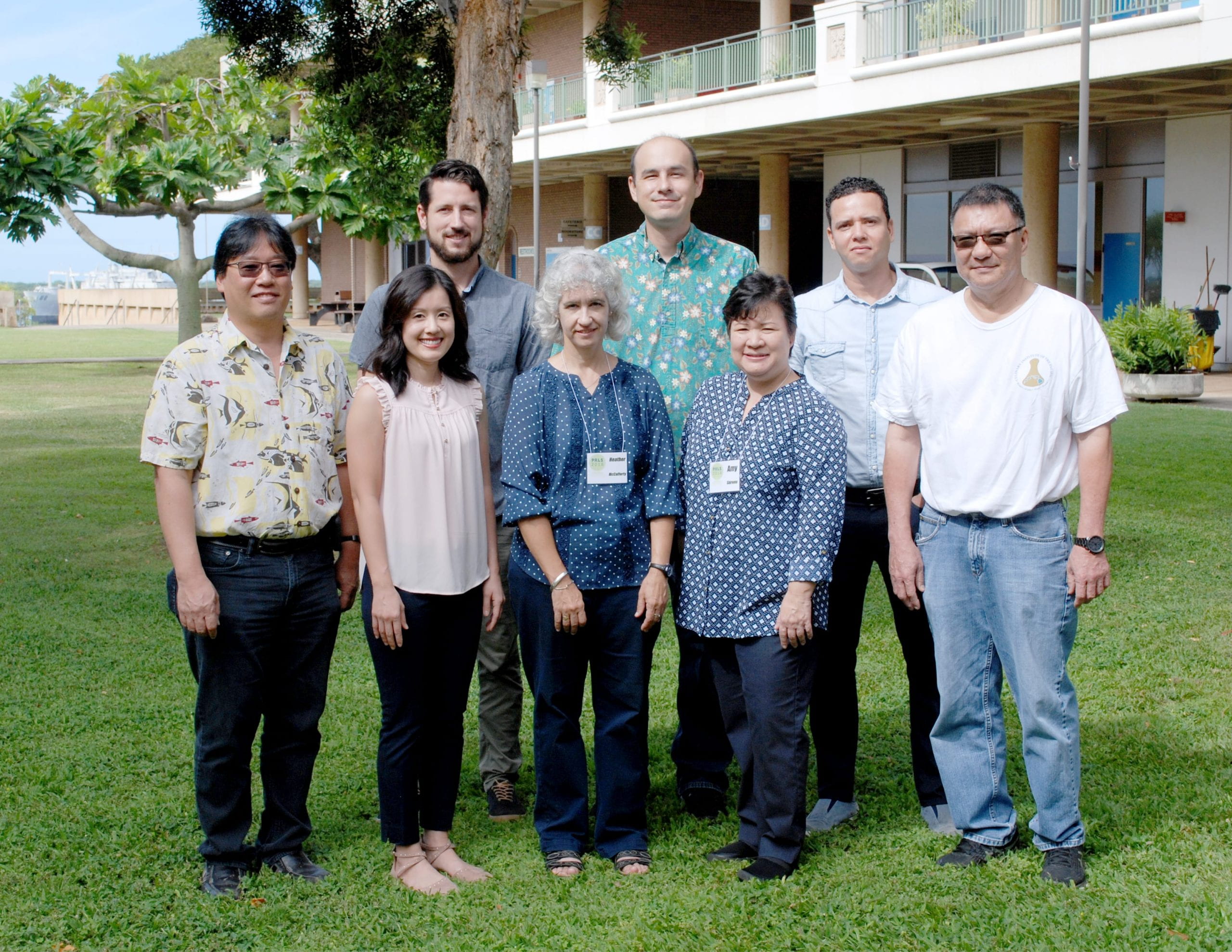
At this year’s annual Pacific Region Learning Summit (PRLS) at Leeward CC on May 14 to 18, Brent and I facilitated an updated version of our “Course by Design” workshop series from the one we offered last summer. Joining us this summer were:

  • Heather McCafferty – Math and Sciences, Leeward CC
  • Benjamin Zenk – Philosophy, Hawaii CC
  • Amy Shiroma – Hospitality & Tourism Education, Kapiolani CC
  • Don Maruyama – Culinary Arts, Leeward CC
  • Robert Oshita – Digital Media, Leeward CC
  • Sandro Jube – Human Anatomy & Physiology, Leeward CC

PRLS 2018 course by design track group

Using our updated four-step course design process for in-person classes, we guided instructors through systematically organizing and structuring their courses by aligning their course outcomes with appropriate learning activities. The four-step process consists of:

  1. Identifying student learning outcomes.
  2. Creating specific learning objectives.
  3. Creating activities to meet the learning objectives.
  4. Building your lessons on a website.

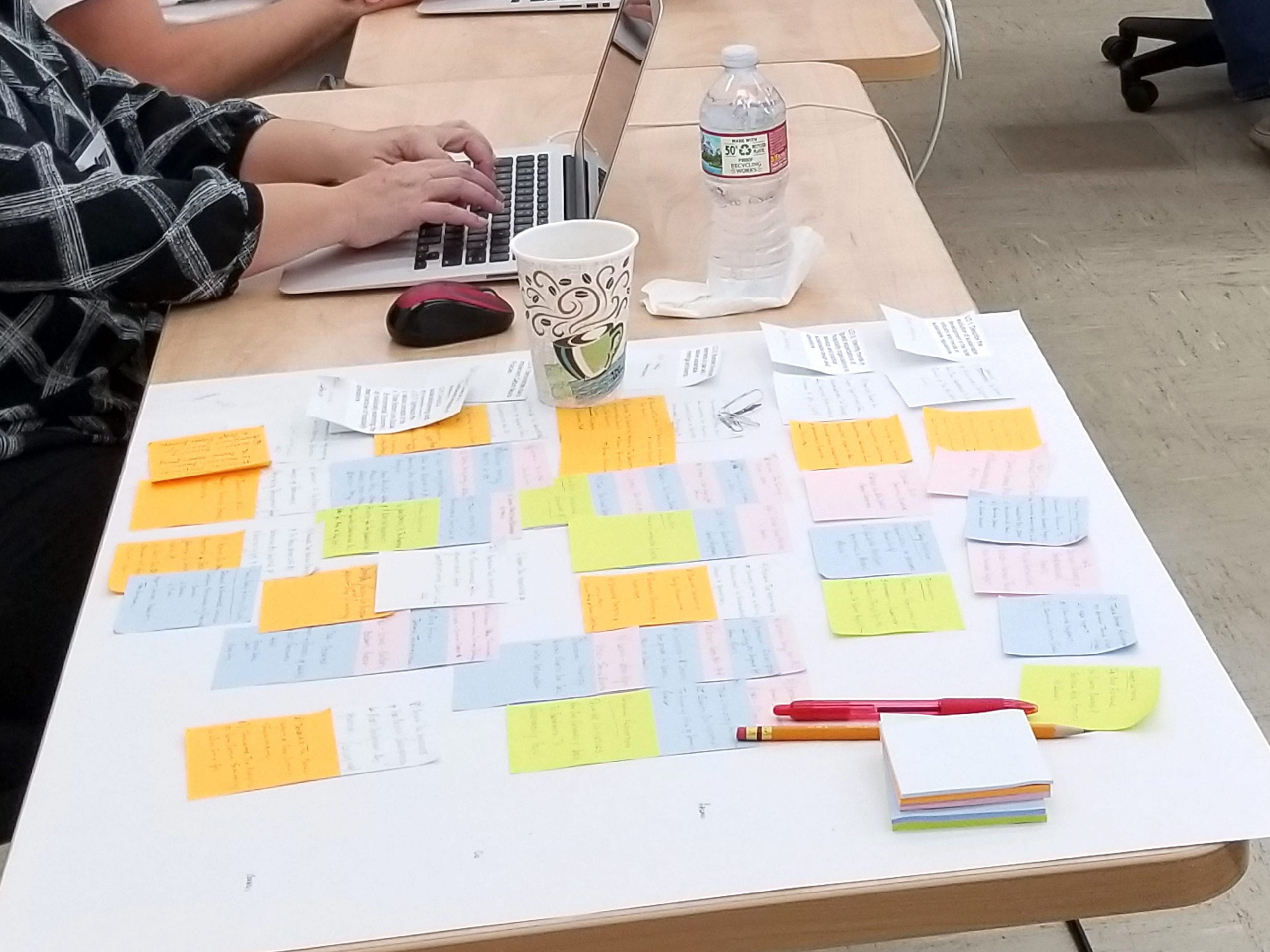
Participants used a planning worksheet (Google Doc) that guided them through each of the four steps. New to the process is mapping alignment of outcomes, objectives, and activities which greatly helped instructors to see all the pieces and how they relate to each other. Once they had everything mapped out, they started to build their lesson modules using our Google Sites template for a quick-start.

PRLS 2018 course by design mapping

The goal was to go through at least one cycle of the course design process to create one lesson module. Then you would repeat the process to create the rest of your lesson modules.

Participants who created at least one lesson module using the four-step course design process earned the “Course Designer Creator” badge of achievement that can be used as evidence in contract renewal/tenure/promotion dossiers.

At the end of the week, participants said the following:

Attending the “Course by Design” workshop was a great opportunity to reflect back at the course that I teach and implement new ideas and concepts to keep my students engaged and motivated. I will certainly implement if not all, at least some of the activities that I envisioned during the PRLS, and I am glad that we discussed about the development of rubrics to assist with the process of scoring the activities.

I’ve gotten a chance to look more closely at how my course activities align with my learning outcomes, and this has allowed me to cut a few unnecessary lessons and replace them with others that align.

Course by Design helped clarify the alignment of course level outcomes with modules and activities. It opened my mind to new connections, and I hope to take this knowledge and use it to re-work my class to improve the overall experience for the student.

We look forward to checking in with our participants and seeing what they create and how implementation goes!

May 31, 2018December 14, 2021by rinake
EMC

Highlights from the “Course By Design” Workshop During PRLS 2017

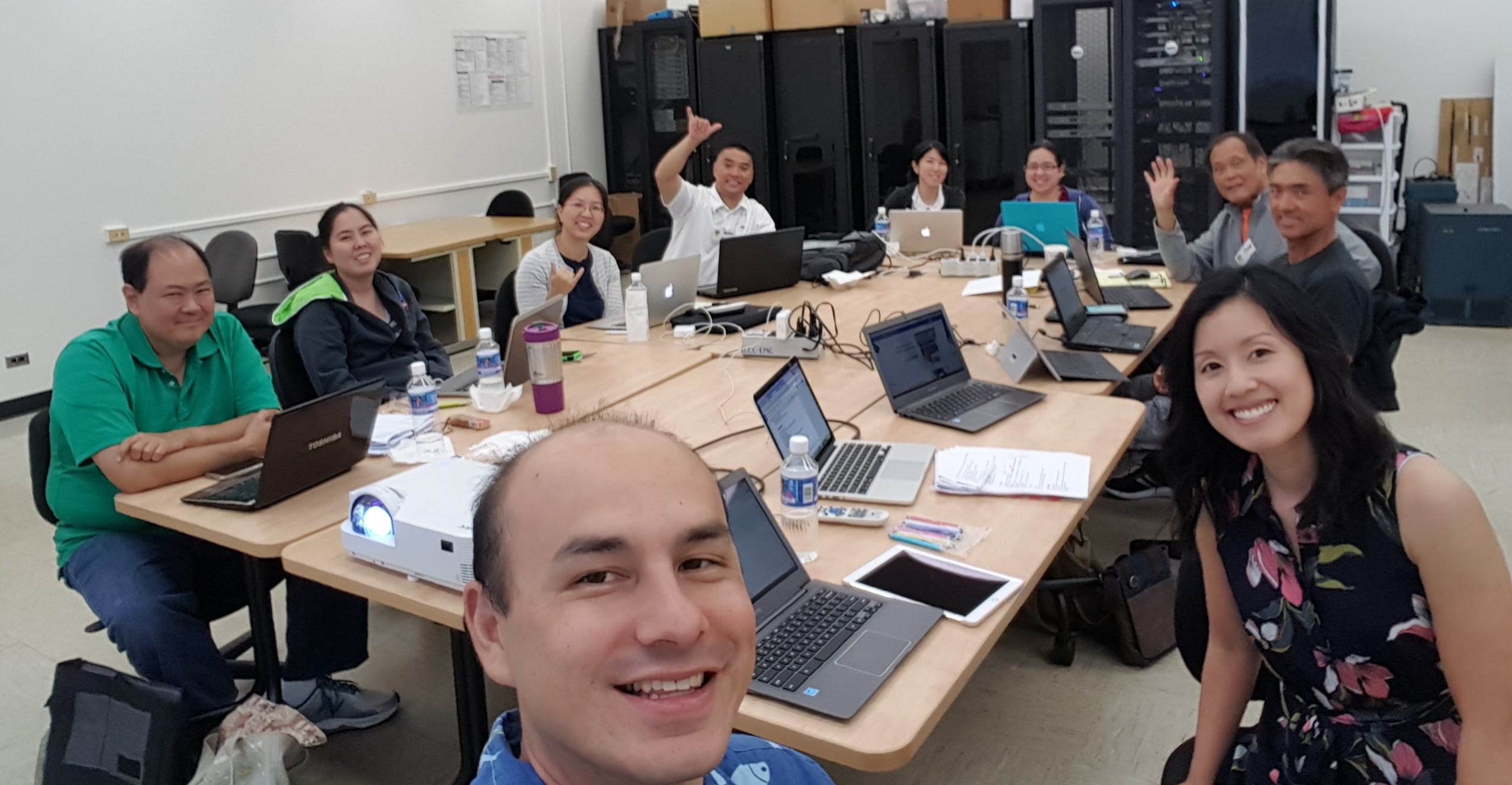
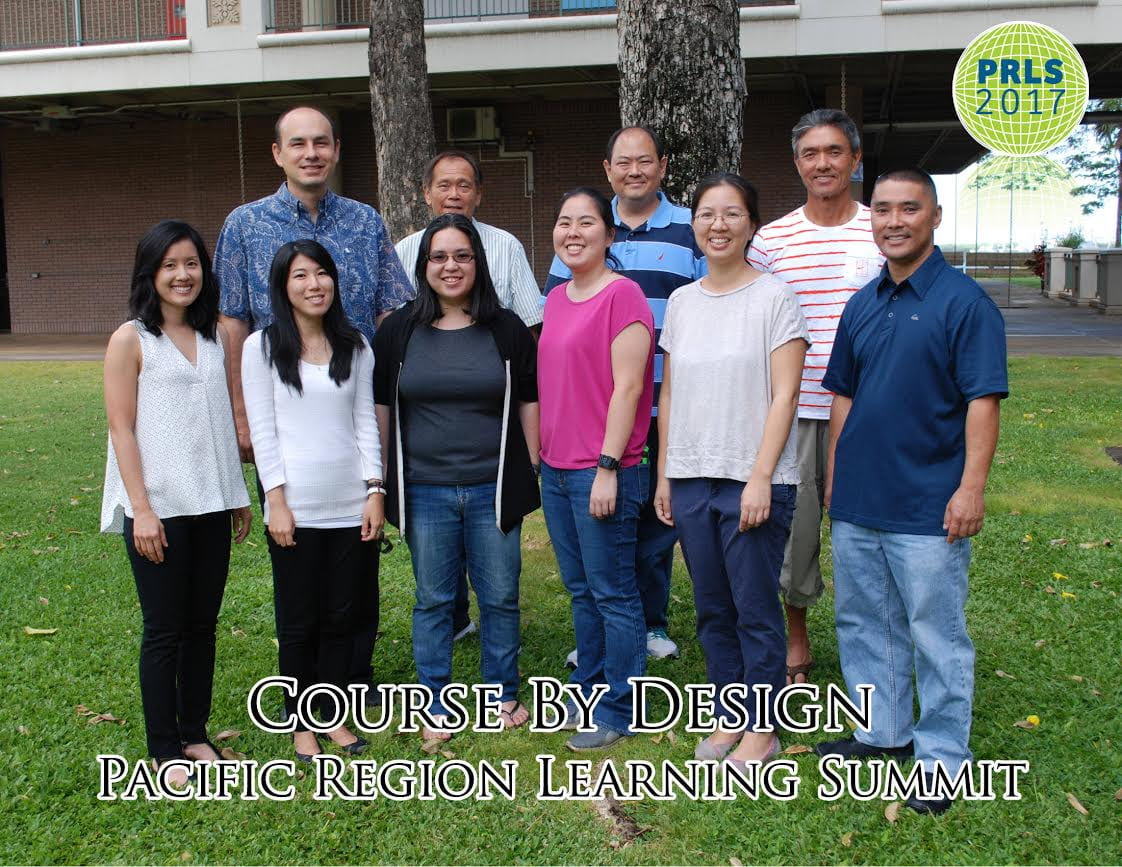
course by design workshop group photo

Each summer, the Educational Media Center (EMC) hosts the Pacific Region Learning Summit (PRLS) at Leeward CC, a week-long professional development opportunity for instructors. During this past PRLS (May 15-19, 2017), we offered a new workshop track, Course By Design. We were fortunate to have eight dedicated instructors who registered for our track:

  • Christina Mende (Math & Sciences Division)
  • Faustino Dagdag (Business Division)
  • Darci Miyashiro (Math & Sciences Division)
  • Eric Matsuoka (Math & Sciences Division)
  • I-Chia Shih (Math & Sciences Division)
  • Nolan Miyahara (Professional Arts & Technology Division)
  • Reina Ojiri (Math & Sciences Division)
  • Ross Higa (Business Division)

In this track, we guided the instructors through using our four-step course design process for in-person classes. This process helped them to systematically organize and structure their courses to align their course outcomes with appropriate learning activities. And then put together their lesson modules on a website. Doing so helps students to navigate through the course, identify the expectations, and identify activities they need to complete to be successful in the course.

During the week we led participants through our four-step process using a mix of methods and activities to:

  1. Identify student learning outcomes.
  2. Create specific learning objectives.
  3. Create activities to meet the learning objectives.
  4. Build your lessons on a website.

Participants used a planning document (Google Doc) and learning modules website template (Google Sites) which we designed and developed for the four-step course design process. Some started creating lesson modules for their courses, while others chose to create supplemental lessons and activities for their courses. By the end of the week, participants were able to go through one cycle of the process to create at least one lesson module on their website. Now they have the knowledge, skills, and tools to continue creating the rest of their lesson modules.

All participants earned the “Course Designer Creator” badge of achievement for planning out their course and creating at least one lesson module during PRLS. These badges are helpful to use as evidence in tenure/promotion dossiers.

Participants Have Said

“I learned how to design a google site and how to create pages with activities that focus on helping students meet the learning outcomes. After taking this workshop, I have a starting template that is ready to be used for my future courses. And that is a wonderful feeling! I would recommend this program to other instructors who wants to develop their course sites for face-to-face or online courses.”

“I learned about best practices for my lesson and activity planning; how to clearly connect them with our SLOs and Learning Objectives; and how to present them in a professional looking page!”

“As for advice, I would say the best thing a participant to do is to keep an open mind.”
course by design 2017 group photo

Register for Course By Design (Fall 2017)

If you’re interested in re-designing your course, consider joining us in the six-week “Course By Design” workshop series which we adapted for the fall semester. It will be on six consecutive Tuesdays from Oct.10 to Nov.14. For more information and to register, visit: https://course-by-design-fall-2017.eventbrite.com

Rachael Inake and Brent Hirata
Educational Technologists
Educational Media Center

August 1, 2017December 16, 2021by rinake
EMC

Mahalo for spending your Convocation Week with us

It was so nice to see everyone back from summer break during Convocation Week!

The EMCers hit the ground running before the semester started by offering several opportunities and professional development events during Convocation Week. Many digital badges were awarded to participants who participated and accomplished the events’/workshops’ objectives (perfect for including as evidence in contract renewal / tenure / promotion dossiers). Here’s a quick re-cap of what happened.

Tech It Out Day

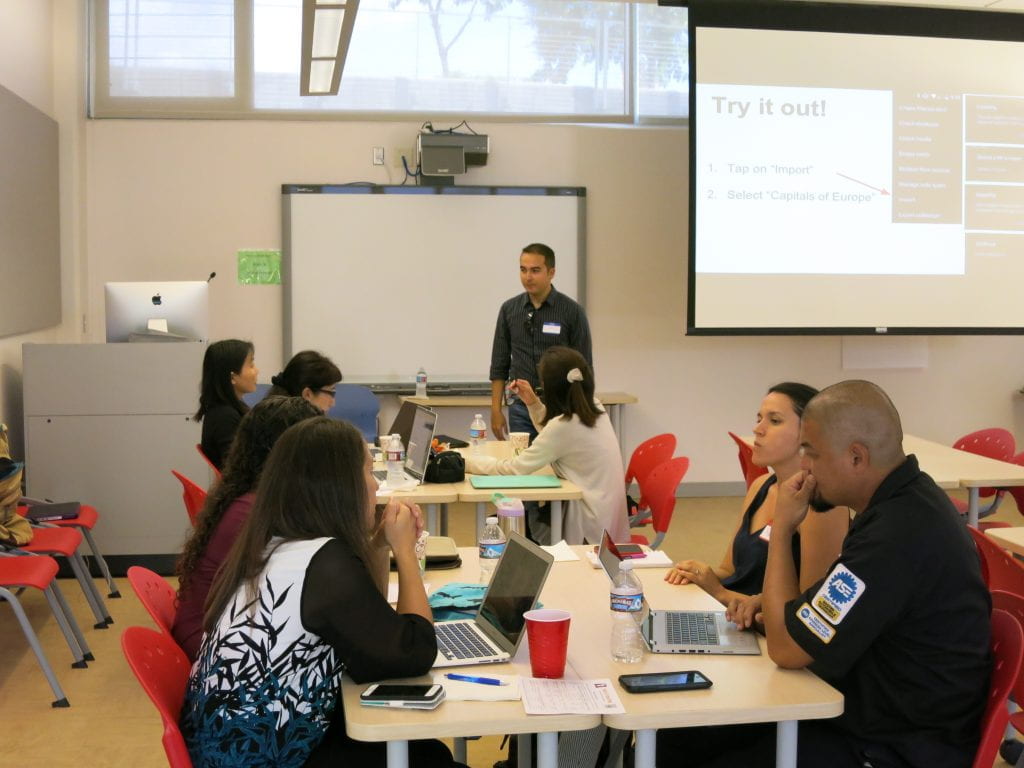
We enjoyed another great Tech It Out Day at Leeward CC on Tuesday, August 16, 2016. Tech It Out Day is an event to explore how technology can enhance teaching and learning in the classroom and online where participants can “test drive” a variety of technology tools, network with peers, and celebrate the start of a new semester.
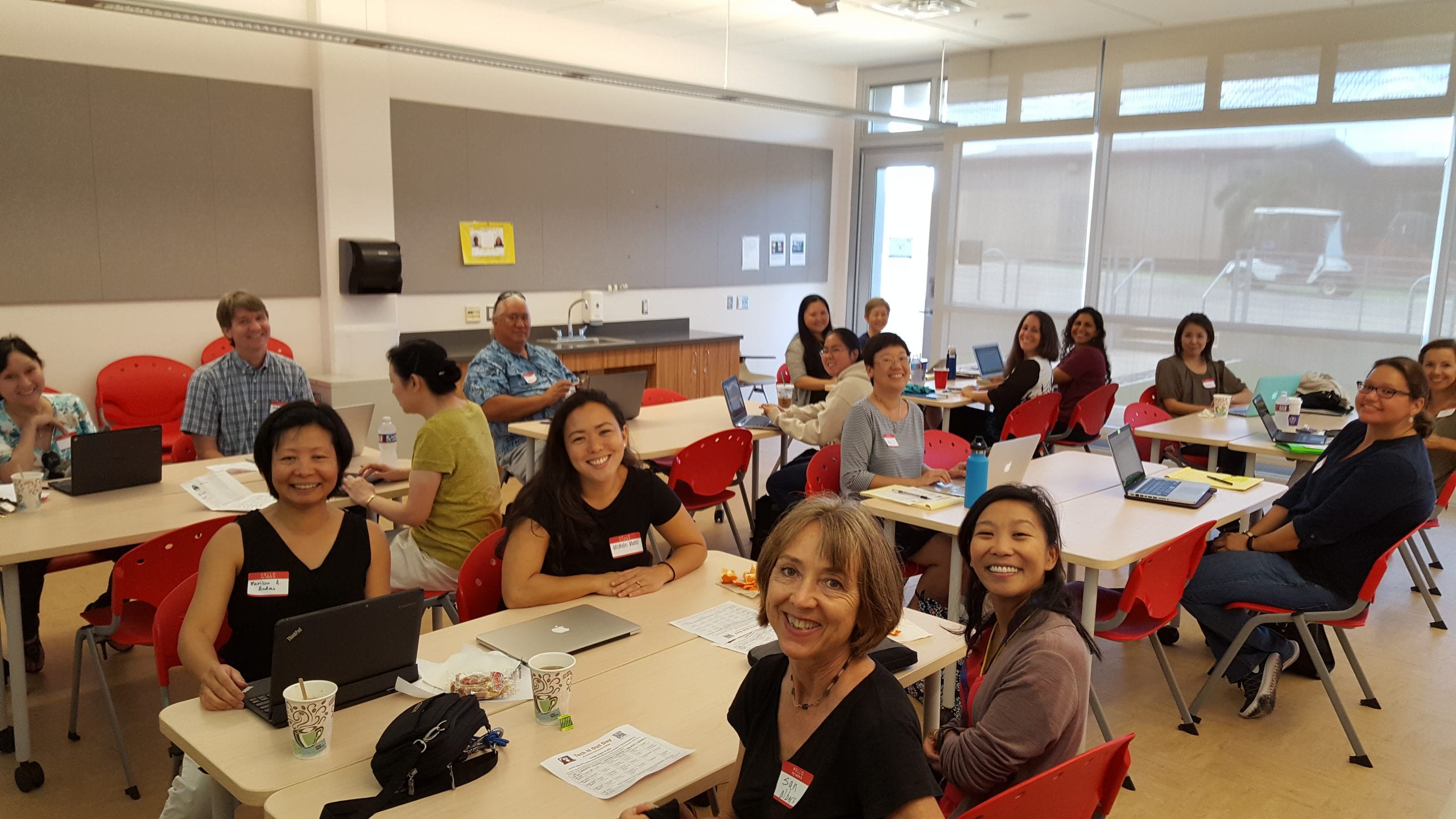
Tech It Out Day session photo

This year, we were fortunate to have some faculty facilitate sessions by sharing how they use technology in their classes and leading folks through getting started with using the technology tools that they shared. A participant said, “Thank you for the short but very useful sessions! I learned a lot without feeling like the workshops went on for too long! Also, these workshops are so helpful, I can definitely use them in classes.” Another participant commented, “Thank you for engaging sessions. They got right to the point and provided immediately useful information and other resources.” Facilitators and participants earned Tech It Out Day 2016 badges for their involvement and participation.

Now that you got to see and try a few new things, if you would like further help using what you learned or tried, feel free to contact us. We’d love to help you take it to the next step.
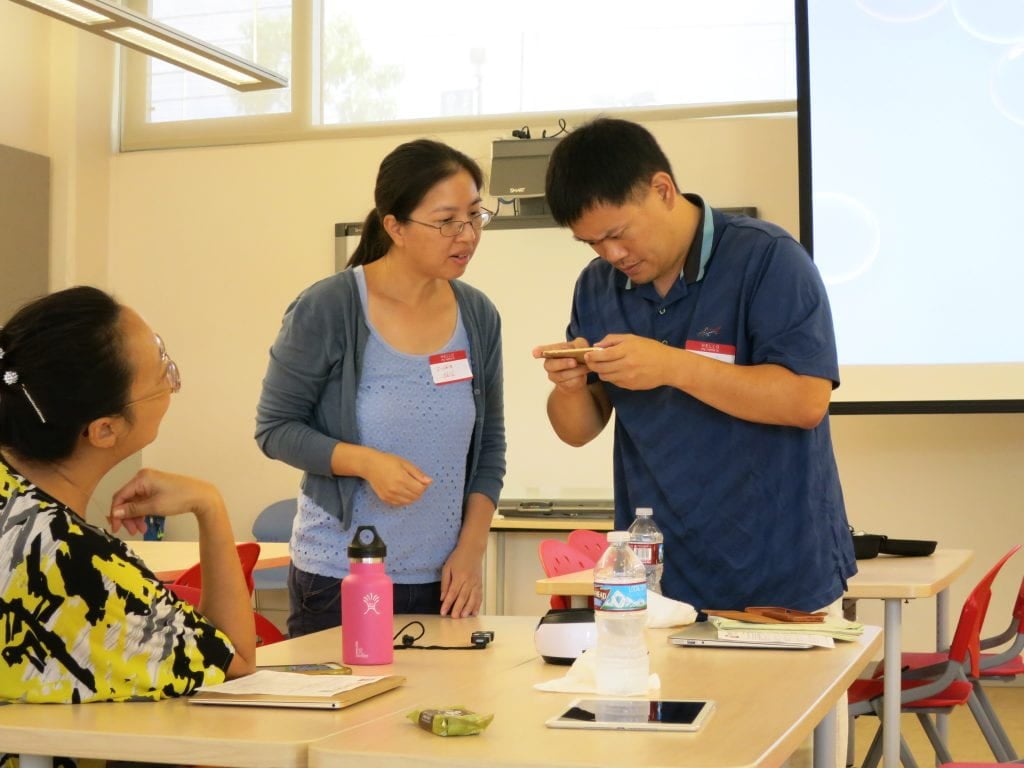
Tech It Out Day faculty looking at swivl

For more photos, check out our Tech It Out Day 2016 album.

Laulima Challenge

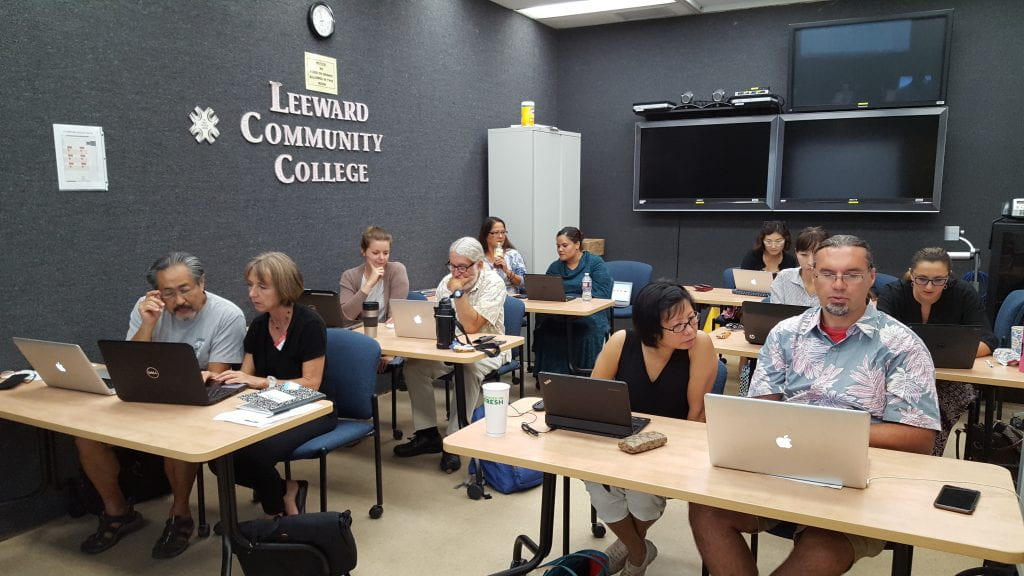
Following Tech It Out Day on Tuesday, we had a full house at the Laulima Challenge workshop, facilitated by Greg Walker, Brent Hirata, and me. Everyone was super engaged and learned how to set up the basic tools in Laulima by working together in pairs to do several tasks in Laulima to complete the Laulima Challenge activity. At completion, they earned the “Laulima Challenge Finisher” badge.
Smart Classroom Challenge

On Wednesday, August 17, 2016, Brent Hirata facilitated two Smart Classroom Challenge workshops where instructors had the opportunity to learn about, troubleshoot, and try out the Smart Classroom technologies. Reef Amano, Electronics Technician at the EMC, was also there to lend a hand answering technical questions about the hardware. Participants appreciated the opportunity to access a typical Smart Classroom as well as the newer Smart Classroom in the Education Building. By completing the Smart Classroom challenge activity, participants earned the “Smart Classroom Challenge Finisher” badge.

Syllabus Makeover Challenge

On Thursday, August 18, 2016, I facilitated the Syllabus Makeover Challenge workshop. We had guest instructor, Michele Mahi, start things off by sharing her visual syllabus. Then, we discussed various syllabus activities and how we can create more value of it for the students through creativity and design, created a basic doc with the textual contents for a syllabus, and then transformed it into a dynamic, purposeful, and visual syllabus. A free Google Slides template was shared and participants learned different ways to share their syllabus with their students. A collection of instructors’ syllabi can be found here. Participants were excited to bring new life into their syllabus and many finished creating their visual syllabi after the workshop. Once they implement and share how things went, they can earn the “Visual Syllabus Creator” badge.

Self-Introduction Video

Convocation week was also an opportunity for folks to record a self-introduction video. A self-introduction video is great to help students get to know you, about the course or service you provide, and establish a connection with you. Visit our growing collection of self-introduction videos by Leeward CC faculty and staff.

See You Around!

We enjoyed our time with you and hope to see you around, work with you, and see you in our upcoming workshops/events this semester. If you haven’t attended our Convocation Week events this semester, we hope that you do next semester!

Upcoming Events

Don’t miss out! Register now for:

  • Gmail Challenge on Tuesday, August 31, 2016 at 1:30-3:00 PM
  • Google Docs Challenge on Tuesday, September 6, 2016 at 1:30-3:00 PM
August 24, 2016December 16, 2021by rinake

Posts pagination

1 2

Search

Recent Posts

  • Designing for Quality: How the Lamakū Course Starter PLC Has Evolved
  • Adventures in Canva Teams 
  • Lamakū – Intelligent Agents
  • Leeward Lamakū Weekly Tips (Fall 2025)
  • Capturing “My Monumental Summer”: Behind the Scenes With the EMC Video Production Unit

Categories

Recent Comments

  • rinake on Cross-Listed Courses in Laulima
  • Merissa Bunton, Ed. D. on Cross-Listed Courses in Laulima
  • bhirata on An Instructor Preview of Leeward Online Learning Orientation for Students

Archives

Accessibility

UH Accessibility Statement

Proudly powered by WordPress | Theme: Sin by vsFish.
Skip to toolbar
  • About WordPress
    • Get Involved
    • About Edublogs
    • Learn WordPress
    • Edublogs.org
    • Documentation
    • Contact
  • Log In