Skip to content
  • Blog Home
  • EMC Website

Educational Media Center

Leeward Community College

EMC

The End of the Road for VHS

Visual of VHS Tape

Did you know that Video Home System (VHS) tapes were developed in the early 1970s and introduced into the US in 1977? Most of our current students (and some faculty) weren’t even born then! While popular for more than 20 years, retail chains in the United States announced they would stop selling VHS equipment in the mid-2000s and stop stocking VHS tapes from 2005.

So, what does that mean for Leeward instructors who rely on VHS material in class?

As we all know, equipment breaks down. Over the years, the VHS equipment in the classrooms across campus have been failing and are not being replaced. Even if the campus chose to continue supporting VHS, locating replacement equipment would be nearly impossible.

With the decline of VHS, DVD media became an option several instructors moved to. However, even DVD usage is being phased out.

So, where does that leave you? Transition to online videos! Here are a few options:

  1. Open Videos – there are numerous openly available videos in a variety of disciplines. A few of the sites that provide high quality open videos include Khan Academy, TED talks, Vimeo, and YouTube.
  2. Kanopy and other online video platforms – the Library subscribes to several video streaming platforms providing access to thousands of full-length, high-quality, ad-free films, documentaries, and educational training videos.  The majority of our titles come with closed-captioning or written transcripts.

Can’t find an online video that meets your needs?

You can try to purchase a DVD version of your VHS tape if it available. Alternately, the EMC can transfer your VHS tape to DVD if you obtain written copyright clearance. Keep in mind, this will only be a temporary solution as DVDs are becoming obsolete.

We are here to help

We realize changing what you currently do takes time and effort on your part, but this is also an opportunity to introduce more current and relevant material to your course while using more accessible and flexible technology – and that benefits both you and your students. So, embrace it! And, you are not alone! The Library and Educational Media Center can help you find the resources that will meet your needs!

—

“Visual of the top view of a VHS cassette” is licensed under CC BY-SA 3.0

August 26, 2016November 24, 2021by leannech
EMC

Mahalo for spending your Convocation Week with us

It was so nice to see everyone back from summer break during Convocation Week!

The EMCers hit the ground running before the semester started by offering several opportunities and professional development events during Convocation Week. Many digital badges were awarded to participants who participated and accomplished the events’/workshops’ objectives (perfect for including as evidence in contract renewal / tenure / promotion dossiers). Here’s a quick re-cap of what happened.

Tech It Out Day

We enjoyed another great Tech It Out Day at Leeward CC on Tuesday, August 16, 2016. Tech It Out Day is an event to explore how technology can enhance teaching and learning in the classroom and online where participants can “test drive” a variety of technology tools, network with peers, and celebrate the start of a new semester.

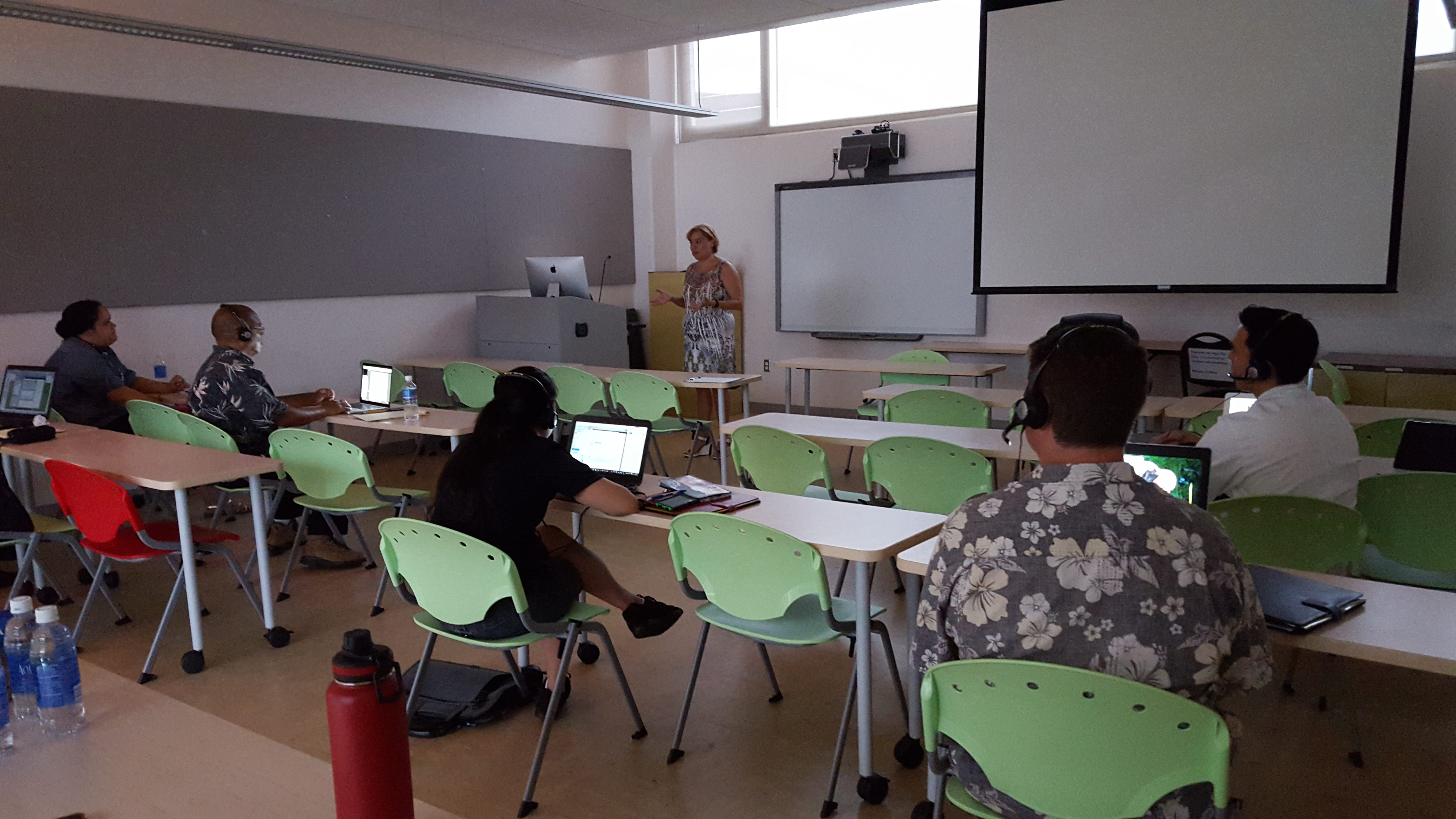
Tech It Out Day session photo

This year, we were fortunate to have some faculty facilitate sessions by sharing how they use technology in their classes and leading folks through getting started with using the technology tools that they shared. A participant said, “Thank you for the short but very useful sessions! I learned a lot without feeling like the workshops went on for too long! Also, these workshops are so helpful, I can definitely use them in classes.” Another participant commented, “Thank you for engaging sessions. They got right to the point and provided immediately useful information and other resources.” Facilitators and participants earned Tech It Out Day 2016 badges for their involvement and participation.

Now that you got to see and try a few new things, if you would like further help using what you learned or tried, feel free to contact us. We’d love to help you take it to the next step.

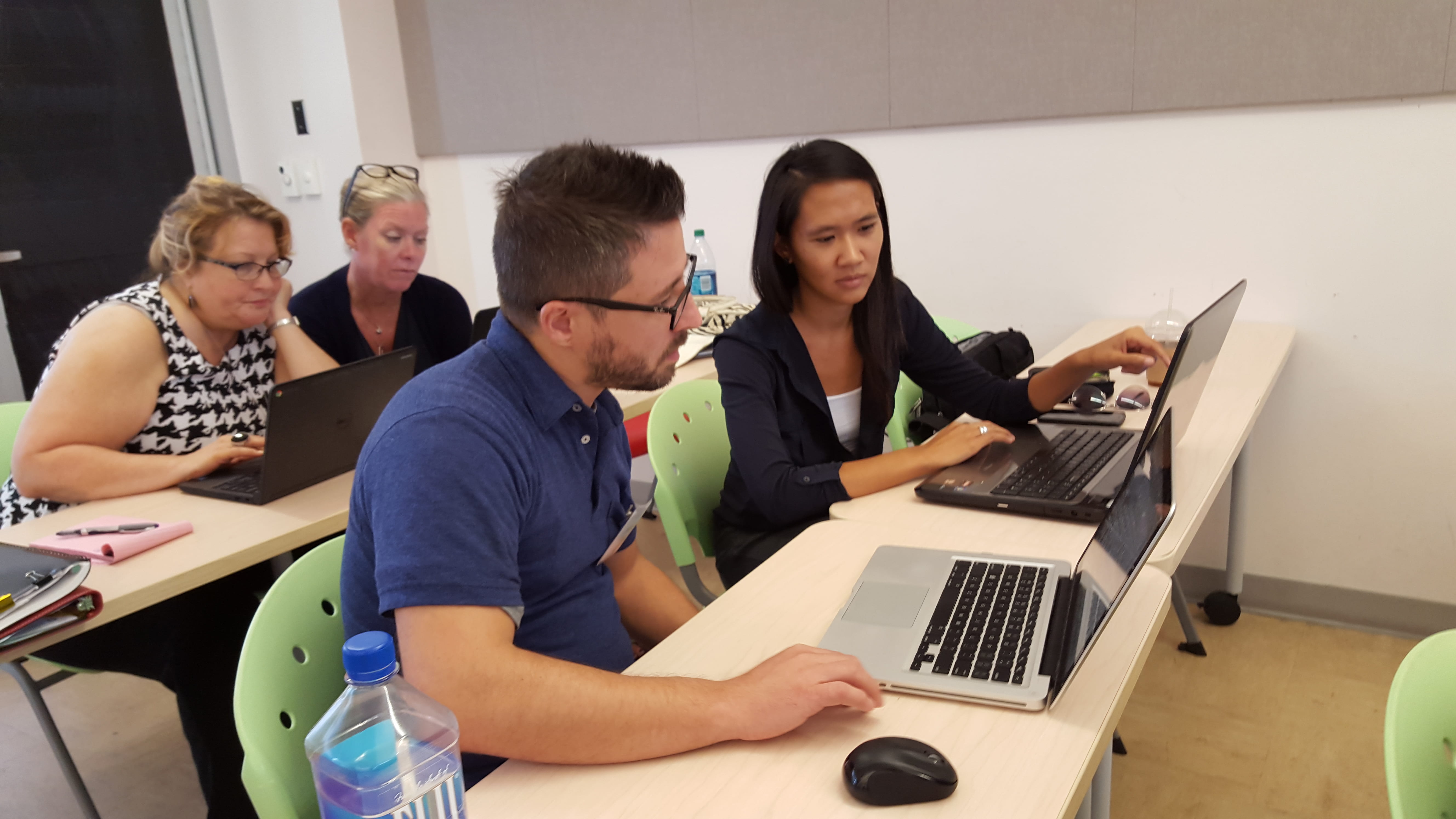
Tech It Out Day faculty looking at swivl

For more photos, check out our Tech It Out Day 2016 album.

Laulima Challenge

Following Tech It Out Day on Tuesday, we had a full house at the Laulima Challenge workshop, facilitated by Greg Walker, Brent Hirata, and me. Everyone was super engaged and learned how to set up the basic tools in Laulima by working together in pairs to do several tasks in Laulima to complete the Laulima Challenge activity. At completion, they earned the “Laulima Challenge Finisher” badge.

Smart Classroom Challenge

On Wednesday, August 17, 2016, Brent Hirata facilitated two Smart Classroom Challenge workshops where instructors had the opportunity to learn about, troubleshoot, and try out the Smart Classroom technologies. Reef Amano, Electronics Technician at the EMC, was also there to lend a hand answering technical questions about the hardware. Participants appreciated the opportunity to access a typical Smart Classroom as well as the newer Smart Classroom in the Education Building. By completing the Smart Classroom challenge activity, participants earned the “Smart Classroom Challenge Finisher” badge.

Syllabus Makeover Challenge

On Thursday, August 18, 2016, I facilitated the Syllabus Makeover Challenge workshop. We had guest instructor, Michele Mahi, start things off by sharing her visual syllabus. Then, we discussed various syllabus activities and how we can create more value of it for the students through creativity and design, created a basic doc with the textual contents for a syllabus, and then transformed it into a dynamic, purposeful, and visual syllabus. A free Google Slides template was shared and participants learned different ways to share their syllabus with their students. A collection of instructors’ syllabi can be found here. Participants were excited to bring new life into their syllabus and many finished creating their visual syllabi after the workshop. Once they implement and share how things went, they can earn the “Visual Syllabus Creator” badge.

Self-Introduction Video

Convocation week was also an opportunity for folks to record a self-introduction video. A self-introduction video is great to help students get to know you, about the course or service you provide, and establish a connection with you. Visit our growing collection of self-introduction videos by Leeward CC faculty and staff.

See You Around!

We enjoyed our time with you and hope to see you around, work with you, and see you in our upcoming workshops/events this semester. If you haven’t attended our Convocation Week events this semester, we hope that you do next semester!

Upcoming Events

Don’t miss out! Register now for:

  • Gmail Challenge on Tuesday, August 31, 2016 at 1:30-3:00 PM
  • Google Docs Challenge on Tuesday, September 6, 2016 at 1:30-3:00 PM
August 24, 2016December 16, 2021by rinake
EMC

Welcome to the Fall 2016 semester teaching online at Leeward Community College

 
Welcome to the Fall 2016 semester teaching online at Leeward Community College. I hope the following information will help you to get off to a great start in your online courses.

Laulima

Every semester, new Laulima sites are automatically created for every course you teach. It is up to you to set up each course.
Get your Laulima courses ready

  • Turn Laulima tools on and off
  • Copying course material from one course to another
  • Publish & unpublish Laulima courses
  • Managing course tabs (display, hide and re-order)
  • Request a course

Laulima Support

If you have a question about Laulima you may want to refer to Laulima @ Leeward. If you need further help with Laulima please sign-up for an appointment.
 
If students do not see your course in Laulima
If your students do not see your course listed in the blue tab bar, check if it is listed under the under the “My Active Sites” tab. If it is not there, please fill out a “Request Assistance” form and provide detailed information about the course you are looking for.

Laulima Orientation Activity

Face-to-Face Laulima Orientation Activity for New DE Students
The Educational Media Center will be providing a face-to face Laulima Orientation Activity
Saturday August  20th from  8:00-9:00 am Room LC102 for new students on how to use Laulima. All DE students have received email notifications inviting them to the orientation activity.
 
Online Laulima Orientation Activity for New DE Students
The Educational Media Center also provides the Laulima Orientation Activity online for DE students. Here are the directions to complete the activity.
 

  1. Join the De student orientation Laulima course. After you log into Laulima, in the “My Workspace” tab to the left scroll down and click on “membership.”Once that pops up click on joinable sites. Scroll down until you see “DE Student Orientation. If it is not visible at first go to the top right where it says “show 20 items…” Click on the drop bar and click on “show 200 items…” then look for the DE course. Once you find the DE course click “join” right underneath it.After that you can find the course by either scrolling up and clicking on my “My Current Sites” or by clicking the “My Active Sites” tab at the very top of the page
  2. Here is a short video on how to join the DE Student Orientation course in Laulima. http://youtu.be/WR-bT93mkU4
  3. Complete the Laulima DE Orientation Activity Sheet. https://docs.google.com/forms/d/1fIdPkTnyubD8nxGlcsTdj0duv5VXacrbIfyp7DwY_ZM/viewform

Student Evaluations

eCAFE is the ONLY online evaluation system used for distance courses at Leeward Community College. eCAFE is the official application for Course And Faculty Evaluations at the University of Hawaii. It is a UH system wide tool for faculty across all campuses to gather feedback from the students at the end of a course. Instructors and students login with their regular UH username and password. Please be mindful of the set-up period for Course evaluations.
 
Ecafe Online Course Evaluation Basics

Interactive Tutorials for Your Students

Introduction to Online Learning http://apps.3cmediasolutions.org/oei/modules/intro/index.html
Getting Tech Ready http://apps.3cmediasolutions.org/oei/modules/tech/index.html
Organizing for Online Success http://apps.3cmediasolutions.org/oei/modules/organizing/index.html
Online Study Skills and Managing Time http://apps.3cmediasolutions.org/oei/modules/study-time/index.html
Communication Skills for Online Learning http://apps.3cmediasolutions.org/oei/modules/communication/index.html
Online Reading Strategies http://apps.3cmediasolutions.org/oei/modules/reading/index.html


Important Resources

  • iLearn@Leeward is a site dedicated to helping distance students.
  • iTeach– dedicated to helping distance faculty. Here are a few resources you can find at this site.
  • Leeward CC Distance Education Guidelines
  • Leeward Test Center administers on-line testing for Distance Education courses
  • DE Peer Evaluation Form
  • Online Course Examples
  • Adding Guests in Laulima


Fall 2016 Online Workshop

  • The Teaching Online Challenge Starts September 12th. http://blogs.leeward.hawaii.edu/iteach/teachonline/

Need Help?

Finally, if at anytime you need assistance with your online course please email me at:
gmwalker@hawaii.edu
 
I hope you have a rewarding semester. Please feel free to contact me by phone or email if you have any questions or concerns.
 
Thank you,
 
Greg Walker
gmwalker@hawaii.edu
Distance Education Coordinator
455-0551

August 21, 2016by leewardemc
EMC

Tutoring Services and Open Educational Resources

Tutoring Services and Open Educational Resources
Welcome to the 2016 – 2017 Academic Year Fall semester. I would like to take this opportunity to encourage you to share the following FREE TO STUDENTS Academic Support Opportunities with your students and feel free to include this information in your syllabus. I also wanted to give you a brief Open Educational Resources update.
Writing Center – assistance available in person, on line via Skype or by phone. Students may stop by the Writing Center on the 2nd floor of the Learning Commons, call 455-0409 or contact them at “writers@hawaii.edu“.
Learning Resource Center – individual or small group tutoring tutoring available in over 30 content areas. Students may stop by the Learning Resource Center on the 2nd floor of the Learning Commons or call 455-0412.
UH Manoa online tutoring in English and Math – www.manoa.hawaii.edu/ola.
Brainfuse Online Student Tutorial – Brainfuse is a student support program that offers tutorial services in such areas as English, ESL, writing, math, statistics, anatomy, etc.*
Brainfuse Student Instructions:
My UH Portal

  • Log In
  • Click on “My Tools”
  • Look at the right hand column for Brainfuse under “My Class Schedule”
  • Click on “Connect Now”

*Please note that since Brainfuse is an outside company there is a campus cost for this service. It should be encouraged as an individual student resource tool not a mandatory editing requirement for class wide assignments.
Open Educational Resources:
This semester,  200 Leeward classes  have been self-identified by the Instructor as “Textbook Cost: $0”. Leeward leads the UHCC system in the number of courses offered with no textbook costs. The Copy Center will print-on-demand  OER course materials if students prefer. More information may be found at:
https://www.smore.com/cgd9w
Thank you and best wishes for a very successful semester.

Paul Kuehn
Dean of Academic Services
University of Hawai’i
Leeward Community College
“Academic Services provides comprehensive programs, resources, spaces, and events that support and enrich our students, faculty, staff, and community.” Mission Statement

August 21, 2016December 16, 2021by leewardemc
Uncategorized

New! Printing Services for Students of OER Course Materials

As we continue the Open Educational Resources Initiative at Leeward CC, we would encourage those of you who are using OER materials, to share this new service with your students.


Do you prefer to read printed pages rather than on a screen?

If so, we invite you to submit your course materials to the Leeward CC Copy Center. You will only be charged for the pages you print. Binding and three-hole punching is an optional additional charge.
book with glasses and highlighterOERcomb binding

Process

1. Send an email to lccdup@hawaii.edu. Copy the form below into your email and fill it in.

Course: ________________ (Example: ENG 100), Instructor: __________________

Printing:

___ Print all pages

___ Print pages __ to __ of the attached pdf document.

Binding: (Check one)

____ No binding

____ Three-hole punch

____ Comb bind

2. Document must be in .pdf format. Include the .pdf as an attachment to your email.

3. The Leeward CC Copy Center will email you (within 1 business day) from the time that they have received your request. The email will provide you with the total cost of your job.

Printing Costs: $0.05 per page

Comb bind or Three-Hole punch: $1.00 (Photo above right shows comb bind.)

4. Go to the Copy Center located in the General Technology Building First Floor, GT-104. The Copy Center will process your order once you pay. Cash only please.

Copy Center Hours of Operation

Monday – Friday, 8:00 AM – 4:00 PM

Here is a link to the electronic flyer to share with you students.

Save

Save

Save

Save

Save

August 17, 2016December 16, 2021by leannech
EMC, Featured Instructor

SMART Board

This is a special guest blog post by Lani Uyeno, English instructor at Leeward CC.  During the Spring 2016 semester,  Lani participated in our SMART Board Basics orientation.  In her post, she shares an small group classroom reading and discussion activity that incorporates the SMART Board.  We look forward to continue working with Lani to further integrate the SMART Board technology into her instruction.

  One of the difficulties my students face as they begin using outside sources for their essays is to accurately state the main and supporting points of the articles they have read. The further the topic is from their own experiences, the harder it is for students to comprehend and use the information from their selected articles. Although my students complete a process analysis essay on the topic of annotation,  they needed more practice applying the process. The SMART Board was a perfect vehicle to practice annotating a text.

  To begin the process, I had students preview a copy of “The Story of an Hour” by Kate Chopin, asking them to read the title and make a prediction or ask questions, and then to read the first paragraph, the first sentence of the remaining paragraphs, and the last paragraph to get a sense of the whole. This part of the process was done in four minutes. Students then shared their predictions as I jotted notes on the SMART Board slide.

Click to enlarge

  In the second part of the process, students were given eight minutes to read and respond to the entire selection. Students marked main ideas, identified key words, and jotted questions in the margins of the reading selection. Students were asked to review their markings and to answer any questions they had posed earlier.

  In teams, students shared their responses for specific sections of the selection, and each team came to the SMART Board to jot down their annotations. Here is a sample marked section.

  We completed the activity with a summary of the selection — three minutes of writing addressing “What is ‘The Story of an Hour’ about?” One student wrote, “Mrs. Mallard receives the news about her husband’s death and is filled with grief but later feels joy because of the freedom she experiences that she will no longer be controlled by her husband. As she is walking down the stairs with her sister, it is revealed that her husband is alive. She dies from shock, but others think she has died of heart failure from happiness.”

Click to enlarge

  To complete the process, students assessed their level of comprehension after applying the annotation process. In a three-minute focused freewrite, students responded to the question “How did the annotation process help with your understanding of the story?” Several pointed out the process made “hard to understand parts” clearer, forced them to ask questions  about the character and plot, and helped them keep track of terms and sections that were difficult to understand. One student wrote, “The process makes me stay active, so I didn’t get side-tracked. I could look back and compare my first impressions with my later understanding.”

  The SMART Board allows teachers to take snapshots of the slides produced in class and to turn the written parts into text. After the activity was complete, I took all of the teams’ comments and “translated” them, and then posted them to Laulima for review. In later classes, students were asked to take turns presenting their annotations for other reading selections.


August 15, 2016December 7, 2021by bhirata
EMC

Orientation to Smart Classroom (Wednesday)


smartclassroom-jeff

Over 60% of Leeward Community College instructional spaces are designated “Smart Classrooms.” These rooms contain the necessary audio, visual, computer and network infrastructure to support 21st century teaching and learning.

Register for the Smart Classroom Challenge on Wednesday, August 17 at 3:00-4:00 PM, to learn how to operate Smart Classroom technologies to support classroom instruction by working with a partner to create an engaging learning activity for students that uses Smart Classroom technologies.

Will you be teaching in the Education Building? Register for the Smart Classroom Challenge (Ed Building) on Wednesday, August 17 at 4:00-5:00 PM.

August 15, 2016December 7, 2021by bhirata
EMC

5 things to help you get ready for Fall 2016

Summer just flew by! Are you ready for fall semester? Here are a five things the EMC can help you with to get ready.

1. Tech It Out Day 2016 starts tomorrow!

tech-it-out-day-banner

Come say hello to all your colleagues and participate in four, quick 30-minute instructional technology sessions. You’ll walk away with valuable tips and tools you can integrate in your classes. We’ll also have a fun bonus session at the end – Pokemon Go @ Leeward. This event is free, including beverages and snacks, and open to the Leeward CC Ohana. Quick, register now!

2. Are your Laulima course sites set up?

laulima-at-leeward-banner

Laulima is the University of Hawaii’s online collaborative learning environment. You can use Laulima to organize class materials, streamline communication with your students (including feedback on assignments and grades), reduce paper use, and increase student engagement for your online and face-to-face classes.

What’s new in Laulima? Find out here.

Quick Tip: Add the “Statistics” tool in your Laulima site before the semester starts to track student activity in your Laulima course site such as students logging in, accessing certain tools, and more.

Register for the Laulima Challenge which starts after Tech It Out Day on Tuesday, August 16 at 1:00-2:30 PM, where you’ll work with a partner to learn how to use Laulima’s basic tools so you can set-up your courses for the upcoming semester.

3. Get to know your Smart Classroom

smartclassroom-jeff

Over 60% of Leeward Community College instructional spaces are designated “Smart Classrooms.” These rooms contain the necessary audio, visual, computer and network infrastructure to support 21st century teaching and learning.

Register for the Smart Classroom Challenge on Wednesday, August 17 at 3:00-4:00 PM, to learn how to operate Smart Classroom technologies to support classroom instruction by working with a partner to create an engaging learning activity for students that uses Smart Classroom technologies.

Will you be teaching in the Education Building? Register for the Smart Classroom Challenge (Ed Building) on Wednesday, August 17 at 4:00-5:00 PM.

4. Give your syllabus a makeover

Creating a course syllabus and making it available to students is an essential responsibility as an instructor. Creating an interactive syllabus activity paired with a visual syllabus can help your students learn about the course requirements in a more meaningful way and get them excited about what they will be learning.

Quick Tip: Here are some required and recommended Leeward CC syllabus blurbs you can copy/paste into your syllabus.

Register for the Syllabus Makeover Challenge on Thursday, August 18 at 8:30-10:00 AM, to get started on creating a syllabus activity and giving your syllabus a “makeover” into a visual syllabus.

5. Make a self-introduction video

self-into-banner

Self-introduction videos can help you attract students to take your course, establish social presence, and build community in your course. Visit our website to make an appointment to have your self-introduction video recorded by our EMC Video Production crew.

Questions?

The friendly folks at the EMC are available to help you enhance your teaching and students’ learning. Contact an Educational Technologist today.

August 12, 2016December 16, 2021by rinake
Uncategorized

Textbook Cost: $0 Courses @ Leeward CC

OER

Leeward CC continues to lead the way within the UH system!

This semester, Leeward is offering 203 “Textbook Cost: $0” CRNs or sections.

As of this week, over 3500 students were enrolled in a “Textbook Cost: $0” section taught by 65 different instructors.

In comparison, the Spring 2016 count was 148 “Textbook Cost: $0” CRNs or sections.

Great job to the Leeward faculty and lecturers who have gone “Textbook Cost: $0”.

More information about this initiative can be found on the OER website.


Save

Save

August 11, 2016December 16, 2021by leannech
Featured Instructor

Kazuko’s Japanese 202 Flipped Learning Lesson

This is a special guest blog post by Kazuko Nakamitsu, Japanese Language Instructor at Leeward CC. Kazuko participated in our “Stop Lecturing and Flip Your Classroom” workshop series during the Fall 2015 semester. She earned the “Flipped Learning Creator” badge and letter of completion for creating and implementing a flipped learning lesson. In her blog post she shares how she flipped her lessons. We look forward to continue working with Kazuko to further enhance her flipped classroom efforts.

This semester (Spring 2016), I chose to create flipped learning lessons for my highest level Japanese language course, JPNS 202, because the content is more difficult and the students need more practice and help in class.  I decided to start with flipping the lessons on honorific and humble language (Lessons 19 and 20) as they are the most complicated and hard to understand concepts.

For each lesson, the students were to watch the lecture video, and complete both online and written exercises at home before coming to class.  In the next class, I gave a quiz to check if they understood the videos and we did more pair and group activities and discussion to actively engage students to use the language (i.e. practice interviewing people with higher status, creating skits among business persons, writing an article about a celebrity, etc).

kazuko-flipped-1
Screenshot of an at-home video lecture – Drill Practice.

My students were able to learn the new materials at their own pace at home which allowed us to use class time for hands-on activities. They were more engaged in in-class activities because they had to work harder to prepare for the class.

kazuko-flipped-3
Screenshot of an at-home video lecture – Grammar Explanation.

It seemed that most students liked the video I created. Students mentioned that they liked the pace and interactive quizzes and drills in my video. I used the free Google Chrome extension, MediaCore Capture, to make the video.  I chose this tool because it allows you to embed your webcam. Embedding my webcam helps my students learn the proper pronunciation by watching how I speak.  It also makes the students feel like they are actually conversing with me as they can see my gestures and facial expressions.

Here are the videos I created/used:

  • https://youtu.be/6Vdl7PWf3U4 (video I created)
  • https://youtu.be/ugNupqpp5mw  (video by: Edinburgh Japanese)
kazuko-flipped-2
Screenshot of an at-home video lecture – Interactive Quizzes.

There are a few things I would like to do differently or better and I will be contacting Rachael or Brent from the EMC for help.  For instance, I would like to create more at-home lecture videos and curate existing videos to make it more interesting.  I’m also interested in finding out a way to track who watched the videos or include an activity students submit during or after they watch the video to see if students not only watched the video but learned from it.

I’m also looking for other activity ideas such as discussions topics or activities to involve the students more in their learning.  One of my students suggested to have students teach each other since it allows them to learn from a student perspective rather than the teacher who already understands it.

The students’ performances this semester measured by both the oral test and written tests were higher than the previous semesters I’ve taught this course.  They were able to accomplish more difficult tasks and learned additional cultural values along with learning respectful language through more-in depth class discussions.

Below are a few comments from the survey that show students have a better understanding of the Japanese society and culture from learning the respectful language.  Teaching the respectful language in the flipped classroom method was a great success overall.

“I would have been lost if I didn’t watch the video before.  It would have took too long to explain keigo (=respectful language) from scratch in class.”

“When I came to class the next day, I was able to follow along much easier.  I prefer the video lectures before class rather than reading text because it is easier to remember visual and audio.”

“It (the video) was  a very good summary, interactive, and felt like I was in a lecture!  I liked it a lot!”

“The mini quizzes given throughout the video were very helpful!”

“The video lecture was helpful. It was just like being taught in a class & it was beneficial to be able to rewind the video if I missed anything.”

Another benefit of the flipped curricula for the students is to develop autonomous and lifelong language learning skills.  After JPNS 202, many of my students will not take Japanese classes, so being able to study the materials on your own is a very important skill if they want to continue learning Japanese on their own.  I feel that if I could use the flipped classroom for the entire semester, the students will become more self-directed.  Currently, I don’t have strong evidence, other than positive comments on the survey, but I am hoping to collect more data/evidence to support this hypothesis.

May 9, 2016December 16, 2021by rinake

Posts pagination

1 … 20 21 22 23

Search

Recent Posts

  • Lamakū Summer Refresh Challenge 2026
  • Designing for Quality: How the Lamakū Course Starter PLC Has Evolved
  • Adventures in Canva Teams 
  • Lamakū – Intelligent Agents
  • Leeward Lamakū Weekly Tips (Fall 2025)

Categories

Recent Comments

  • rinake on Cross-Listed Courses in Laulima
  • Merissa Bunton, Ed. D. on Cross-Listed Courses in Laulima
  • bhirata on An Instructor Preview of Leeward Online Learning Orientation for Students

Archives

Accessibility

UH Accessibility Statement

Proudly powered by WordPress | Theme: Sin by vsFish.
Skip to toolbar
  • About WordPress
    • Get Involved
    • About Edublogs
    • Learn WordPress
    • Edublogs.org
    • Documentation
    • Contact
  • Log In