Skip to content
  • Blog Home
  • EMC Website

Educational Media Center

Leeward Community College

Category: Leeward CC

Leeward CC, Video Production

Capturing “My Monumental Summer”: Behind the Scenes With the EMC Video Production Unit

""

A Collaboration

This past semester, the Educational Media Center’s Video Production Unit had the opportunity to collaborate on one of the most uniquely creative projects that we’ve been a part of, My Monumental Summer, the mural exhibition curated by Leeward Community College’s Ho‘ikeākea Gallery curator, Kosta Kulundzic.

The exhibit brought together five artists from diverse personal and professional backgrounds, each invited to paint a large-scale mural reflecting their own summer experiences. From the moment the project was introduced, we knew it had the potential to become not only a compelling visual showcase, but also an educational resource that would resonate deeply with Leeward students.

Artists gathered in the studio, talking.


How the Collaboration Began

Our initial involvement began simply: offering guidance on setting up time-lapses for documenting each mural’s creation. But as conversations continued, the collaboration naturally expanded. It became clear that this exhibit wasn’t just about five murals on the gallery walls—it was about the stories, techniques, and artistic journeys behind them.

Together with Kosta, we began shaping the idea of a video series that would serve as a reflective and educational companion to the exhibition. The goal became twofold:

  • Document the creative process from start to finish
  • Capture the voices and experiences of the artists themselves for students seeking insight into real-world art practices
Cameraman capturing an artist painting a mural on the wall.


Inspiration and Approach

Before filming, our team looked to successful artist-focused programs for inspiration—particularly the Louisiana Channel, known for its in-depth, thoughtful portraits of artists and their philosophies. That format aligned with what we hoped to achieve: not promotional hype, but honest, grounded conversations paired with visuals of the artists at work.

We structured the project around two consistent elements:

  • Ongoing b-roll coverage of each mural’s creation
  • End-of-project interviews that reflected on each artist’s process, background, and growth

The b-roll required us to revisit the gallery multiple times throughout the two-month painting period. This allowed us to document the evolving energy of the exhibit—and the uniquely different ways each artist approached a blank wall.

Some worked methodically and precisely. Others painted with expressive spontaneity. Some spoke loudly through color; others expressed themselves through subtle linework. Filming these differences—and seeing their eventual points of overlap—became one of the unexpected pleasures of the project.
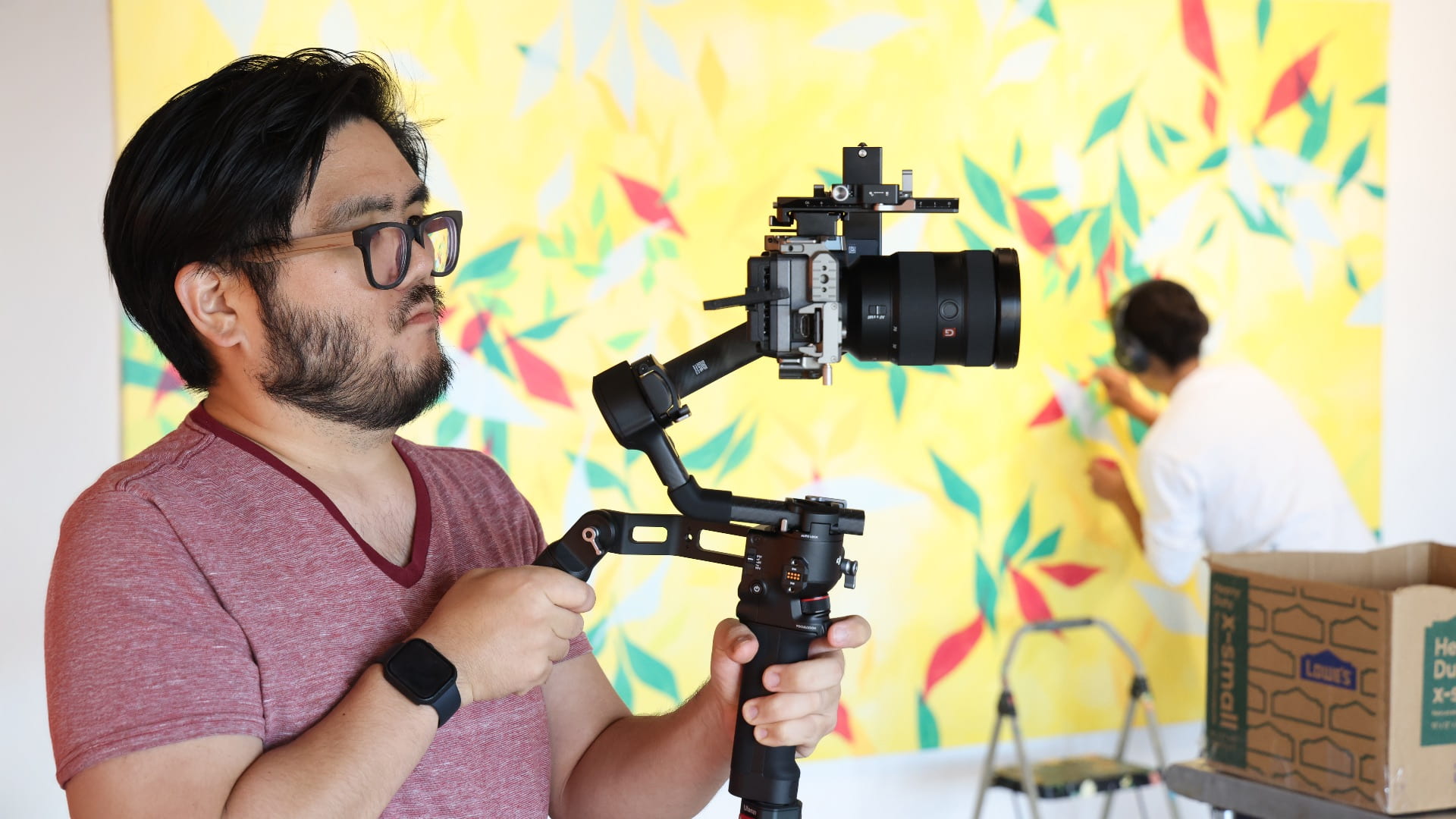
Cameraman shooting footage.


Growing Our Toolkit Along the Way

A project of this scale required us to expand our recording capabilities. Several team members invested in compact equipment—small-format cameras, a new gimbal for fluid stabilized shots, lightweight lighting setups, and flexible grip solutions. These additions allowed us to move quickly and quietly around the artists without interrupting their workflow.

The project also gave us the chance to take studio-level production into the field, experimenting with new configurations, lenses, and lighting strategies that aren’t typically needed in controlled indoor environments. Those field tests ultimately became an important part of the learning experience for our whole unit.
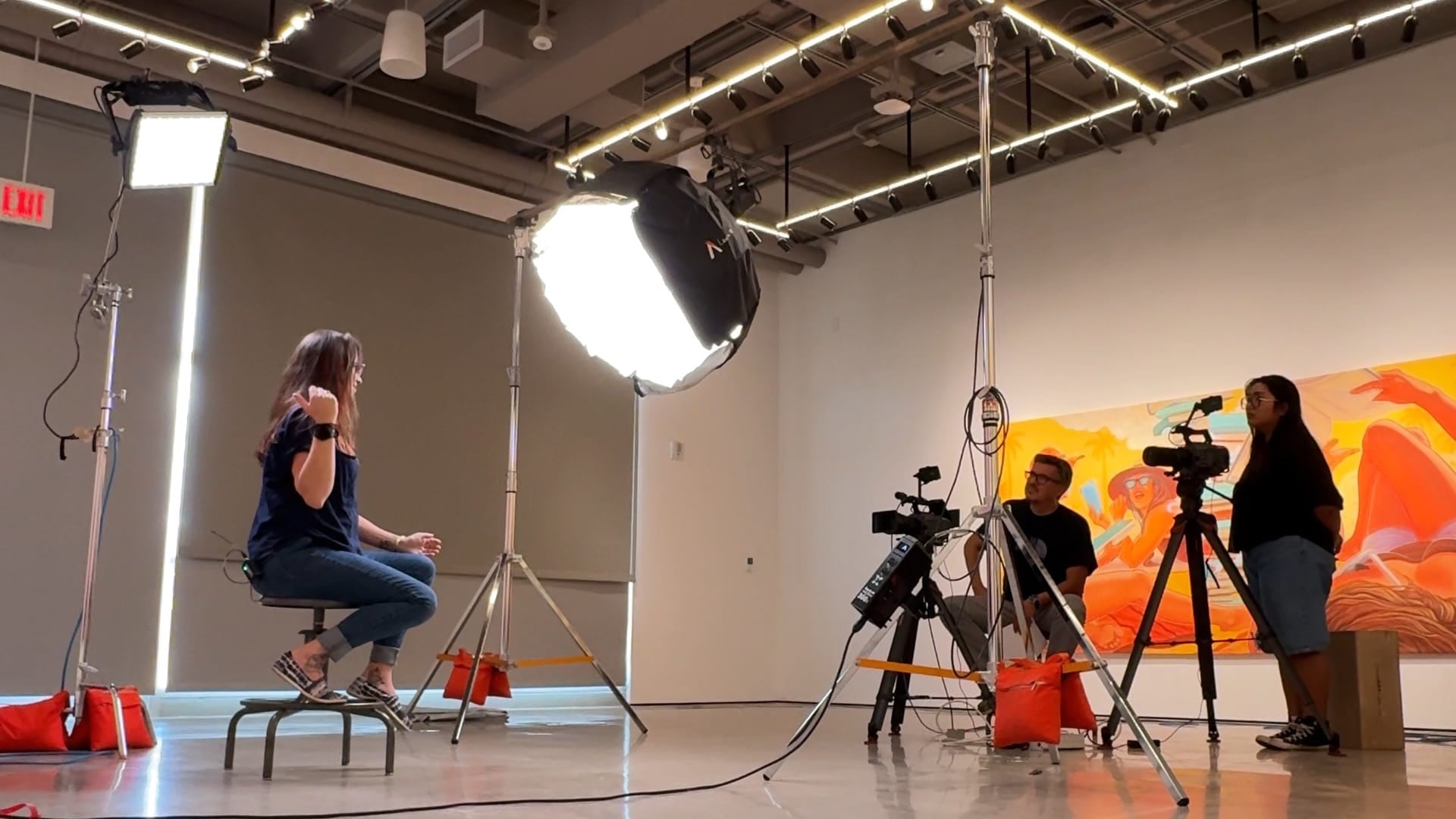
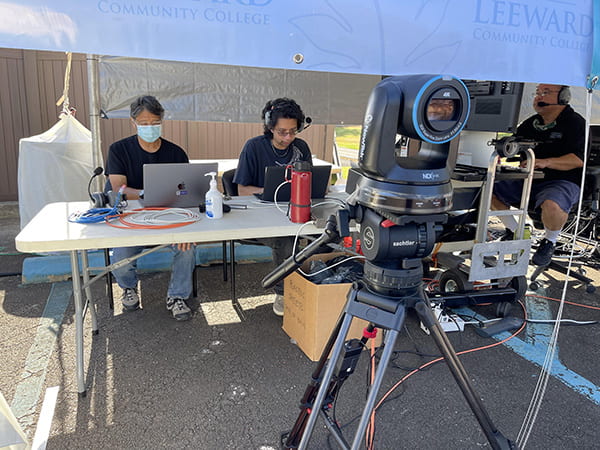
Behind the scenes footage filming an artist interview.


Interviews: Capturing the Artists Behind the Art

We scheduled the interviews close to the end of the exhibition. Although we originally aimed to release the videos by the gallery opening, scheduling constraints shifted the format toward a reflective series rather than a promotional one—and the project benefitted from that evolution.

Across two days, we filmed all five interviews. Kosta conducted the sessions with a natural ease that helped each artist open up about their personal histories, creative challenges, and artistic philosophies.

To support the process, we pre-generated question ideas by feeding background information into AI tools that helped surface themes, connections, and possible discussion angles. We then refined those questions with our own insight so the interviews remained organic and human-centered.

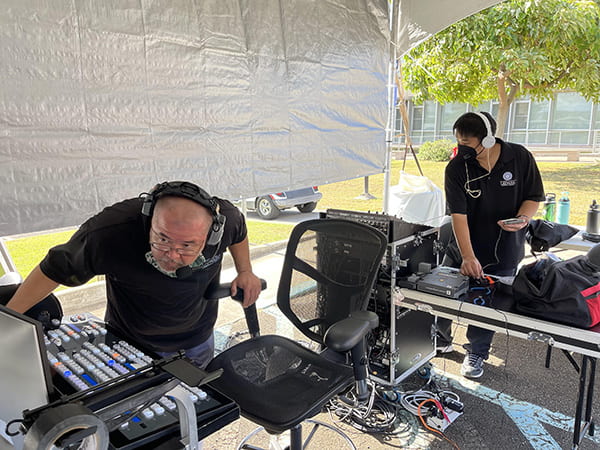
Behind the camera view of video equipment.


Editing: A Labor of Love

Editing the series required careful shaping. With hours of footage across months of recording, the challenge was identifying the clearest narrative threads while honoring each artist’s voice and perspective.

We used transcripts and AI-assisted organization tools to help group quotes, categorize themes, and map segments into a cohesive structure. This allowed us to meet the tight turnaround time required to release the videos before the exhibit closed in mid-November.

Despite the pressures, the edit was deeply rewarding. Each artist contributed genuine insights—about life, creativity, discipline, community, and personal identity—that we believe will be meaningful for Leeward students encountering these videos in future classes.

Looking Ahead

Working on My Monumental Summer reminded us of the power of art—and the importance of documenting the creative processes happening across our campus. Projects like this showcase the talent within our community and create valuable learning resources that connect students to real experiences.

We’re grateful to Ho‘ikeākea Gallery, to Kosta, and especially to the participating artists for allowing us into their space, their process, and their stories. We hope this is only the beginning of future collaborations that blend creativity, education, and community in ways that inspire both our students and ourselves.

Watch the full My Monumental Summer artist videos playlist to experience these stories firsthand.
December 15, 2025December 15, 2025by leewardemc
Leeward CC

UH LMS Replacement Update (July 2023)

Gloria Niles, Director of Online Learning at UH ITS, presented an update about the LMS replacement during the UH IT All-Campus Workshop on July 28, 2023. Read on for a brief recap and access the full presentation recording and presentation slides.

Where We Were

We’ve been with Laulima (Sakai) for about 15 years. A main concern of continuing with Sakai is that it’s down about 1.5% of the market share. Developers have left and the most recent version we are on will likely be the last version of Sakai. Therefore, third-party systems neglect to integrate with Sakai and we won’t be getting updates which may also pose security vulnerabilities.

In Spring 2023, UH went through a LMS Review phase to help make a decision on if we should replace Laulima (Sakai). During the LMS review, three vendors/platforms (i.e. Anthology Blackboard Learn Ultra, D2L Brightspace, and Instructure Canvas) were reviewed by the UH community to see what is currently out there. Strengths and concerns of Laulima and the three platforms were summarized in the LMS Report. The report was submitted to the UH Officers in May 2023 with a recommendation to transition away from Laulima. The decision was made to replace Laulima.

Where We Are Now

UH is going out for a full RFP (request for proposals). Some of the features we are looking for include:

  • Modern functionality – mobile app, responsive design, robust tools for teaching and learning
  • Systemwide LMS – Sakai, RCUH, etc. Move everyone under one platform.
  • Content migration from Sakai
  • Vendor-university partnership evidence – responsive to customer feedback, professional development, training, and support
  • ʻŌlelo Hawaiʻi language pack
  • Integration with our other systems like Banner, PeopleSoft, etc.
  • Accessibility
  • Standard features such as: assessment of learning outcomes, dynamic learner engagement features, feedback and grading efficiencies, third-party app integration, and more.
  • Optional features that we could add-on/purchase: interactive multimedia content, digital badging capabilities, generative AI integration, OER, and more.

Where We Are Heading

Projected Timeline for 2023:

  • August: RFP out for bid
  • September: Proposals received and vetted
  • October: Proposal evaluation and scoring
  • November: Contract awarded
  • December: Announce new LMS

Tentative Implementation Strategy

Goal: Full migration to new LMS for all courses by Fall 2025.

  • Fall 2024: Cohort 1 migration
  • Spring 2025: Cohort 1 implementation and Cohort 2 migration
  • Summer 2025: Transition to Laulima archive. New LMS full implementation.

More Information

  • LMS Replacement Update (Zoom Recording, 21:34 min)
  • LMS Replacement (Presentation Slides)
August 10, 2023August 10, 2023by rinake
AV Services, Leeward CC, Video Production

Leeward CC Commencement 2022

“Wonder twin powers activate!”

Les and Garrett on laptops
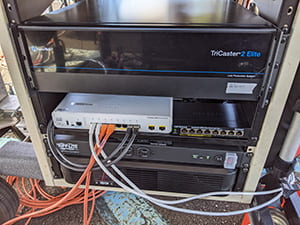
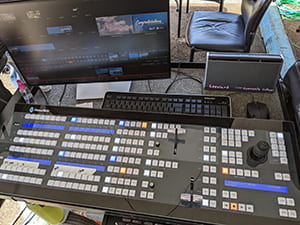
While we are not that wonderful, nor twins, we did activate! AV Services and Video Production units of the Educational Media Center (EMC) teamed up once again, with the help of student assistants, volunteer staff, and DMED students to provide video services for a livestream of the 2022 Leeward Community College Commencement Ceremony. Hard work pays off. We spent countless hours setting up, testing and preparing newly acquired equipment, (thanks to HEERF) that allows for seamless video streaming of live events and streamlines workflows, to ensure that commencement would be an enjoyable experience for all.

Camden and Iban configuring equipment
This new equipment reflects the EMC’s commitment to helping the campus deliver products that are technologically current and of high quality. We are trained and knowledgeable to make the best use of the tools available. In other words “we got the tools, we got the talent.”

AV rack Switcher control panel

Check out the Commencement livestream and pre-show if you have the chance.

While livestreaming has been a new service for commencement during the pandemic, the EMC has risen to the opportunity to expand the service to programs such as Convocation, marketing initiatives, and instruction to provide widespread outreach to our campus and surrounding communities.

For more information about AV Services, visit our website or contact one of our Electronics Technicians, Garrett Chaves or Iban Urmeneta.

For more information about Video Production and our services like livestreaming, visit our website or contact Media Specialist, Camden Barruga.

June 8, 2022June 8, 2022by Camden
EMC, Leeward CC

Summer 2022 TEC and Smart Classroom Changes in Preparation for Fall 2022

As summer approaches, we would like to share changes that will affect instructors and employees using classrooms starting Fall 2022. (Complete information about technology classrooms on campus can be found on our website.)

Technology Enhanced Classrooms (TECs)

Here is a list of TECs. The fourth column indicates if the classroom is a TEC.

TECs have the most updated technology including a hybrid kit bundle of equipment to facilitate various modalities of teaching and learning using equipment, such as a video recorder on a tripod, Elmo document camera, Wacom graphics tablet, and video capture card to input a secondary video source into the classroom computer.

TECs (with the exception of BS 104 and BS 109 Mac computer labs) will be equipped with a new Windows all-in-one computer with a touchscreen monitor. Instructors who prefer Windows or do not have a preference should use a TEC. (Instructors can also bring their own laptop (including Mac brand) to use in the TEC by connecting to the provided HDMI cable. They must bring their own adapter, if needed.)

TECs will continue to be supported and upgraded by the campus.

Smart Classrooms

Here is a list of Smart Classrooms. The third column indicates if the classroom is a Smart Classroom.

Smart Classrooms will continue to be supported until the equipment stops working. The Smart Classrooms currently have iMac computers running both macOS and Windows OS. However, because of Apple’s recent updates to the macOS, the iMacs cannot run Windows OS. Therefore, iMacs in Smart Classrooms will be re-imaged over the summer and will only run macOS starting Fall 2022. Instructors who prefer macOS should use a Smart Classroom.

A note about Smart Classrooms – the life expectancy of the iMac computers are 1-2 years. These computers will not be replaced if they fail or if Apple puts them on the obsolete list. Smart Classrooms will eventually be phased out.

Scheduling

If you have a strong preference for Mac, please ask your Division Chair to schedule you in a Smart Classroom. If you have a preference for Windows OS, do not have a preference, or will be using your own laptop, please ask to be scheduled in a TEC (which has the most up-to-date equipment and technologies).

If you have any questions about the classroom computers you may contact the ITG Help Desk at 455-0271 or lcchelp@hawaii.edu. If you are planning to teach in any of these classrooms in the Fall, it is highly recommended that you acquaint yourselves with the equipment and technology prior to the start of the Fall semester. You may contact Brent Hirata, Educational Technologist, for an orientation or consultation on using the technologies in the classrooms for teaching.

May 5, 2022May 17, 2022by rinake
EMC, Leeward CC

Supporting Your Online Teaching with Padlet

Padlet Logo

Have you heard of or been using Padlet in your online course?  Padlet is a flexible, visual bulletin board service that can be easily shared or embedded into your online course.  If you are not familiar with Padlet please take a moment to view this spring 2020 Tech Fun Friday presentation on Padlet to promote active learning (DE Guidelines 5.6) presented by the DE Committee and Donna Matsumoto.  The presentation has a table of contents so you can jump around based on your interest.

Typically instructors use Padlet.com free service or seek out division funds for a paid plan, for this calendar year 2021 Leeward CC has a subscription to an Institutional Backpack paid version of Padlet.  This will allow instructors an option go beyond the limit of 3 active Padlet boards as well as grow beyond the  10 MB memory limit to 250 MB. Another difference is that on the Leeward service students do not have accounts so their posts will show as anonymous, if a name is helpful, they could type their names into their posts.

Leeward CC instructors can request an account on our Padlet Institutional Backpack.

February 6, 2021December 14, 2021by bhirata
Leeward CC

CES Results

Starting Fall 2018, the University of Hawai’i System started using a new Course Evaluation System (CES) for all courses as a way for students to provide feedback on their learning experiences.

Last Semester’s Results

Your CES results from last semester have been published! To access the results:

  1. Login to CES (https://www.hawaii.edu/ces/)
  2. Click on “View Results” (the rightmost icon near the top of the page)

Screenshot of CES Home screen

3. Click on the class you would like to view.

Your results will look something this:

sample screenshot of course evaluation results

Your course results are in the last row of the table.

Interpreting the Results

In this example, there were 7 students (N-Size) who took the evaluation. The course average was 4.86 out of 5.00.

In comparison, the Culinary Arts courses average is 4.29; the PAT Division courses average 4.41; Leeward CC courses average 4.48.

Downloading/Printing the Results

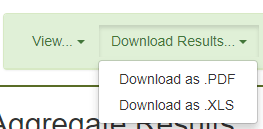
To print, click “Download Results” on the green bar near the top of the page. You may download it as a .PDF or .XLS.

Screenshot showing Download Results pulldown menu with "Download as .PDF" and "Download as .XLS"

Open the file in Adobe Acrobat or Excel and print.


Important Dates for This Semester

  • Mar 4 – Apr 11, 2019 – Instructors setup their questions
  • Apr 15 – May 2, 2019  – Students take evaluation
  • May 15, 2019 – Results released
  • Jun 1, 2019 – Results published


Important websites

Course Evaluation System (CES)
UH System CES Information
Leeward CC CES Information

January 15, 2019December 29, 2020by leannech
Featured Instructor, Leeward CC

What We Have Learned About CES – Part 5 (Final One for Fall 2018)


CES was released on Monday, October 29, 2018. Together, we are learning about this new system. Some wonderful hints and questions have already been shared. By communicating them to you, I hope it will help you as you set up your CES for your class(es).


This helpful hint was submitted by Matt Egami

Matt Egami headshot

Instructors may have different sets of questions for different types of courses, therefore, in the question pool, I separated my lecture questions from my lecture/lab questions by creating a question of ********* to separate the two. See screenshot.

list of questions in question pool with **** separating questions

Note: See related hint by Michael Oishi on adding different sets of questions for different types of courses.


stickman standing behind a red X

Deadline for Instructors to setup CES for this semester is Thursday, November 15, 2018!

After Thursday, you will no longer be able to add questions to your evaluations.

Students will take the surveys from Monday, November 19, 2018 to Thursday, December 6, 2018.


This is the final CES newsletter for this semester. Thank you for reading them and for sharing your hints and questions with others.

We are compiling a list of suggestions to improve CES. Please send your suggestions to Leanne or Adam by Friday, November 16, 2018.

More information at Leeward CC CES site.

November 14, 2018December 14, 2021by leannech
Featured Instructor, Leeward CC

What We Have Learned About CES – Part 4

CES was released on Monday, October 29, 2018. Together, we are learning about this new system. Some wonderful hints and questions have already been shared. By communicating them to you, I hope it will help you as you set up your CES for your class(es).


This question was submitted by Albert Chan

Albert ChanI have already constructed my survey with relevant questions and it is ready to go. Do I need to do anything else before it is released to the students? After they receive the notification, may I remind them to take the survey?

After you created your survey, you are ready to go. You do not have to do anything else to release it to students. A common mistake is to only enter the questions into the question pool. Be sure to add the questions to each of your surveys. It is a two-step process: 1. add questions to question pool, 2. select questions for your survey.

Students will receive automated messages from the UH system to take the surveys. Students will be taking the surveys from Nov 19, 2018 – Dec 6, 2018. I like your idea to remind your students (in class and by email) to take the survey.


This question was submitted by Michael Oishi.

Michael Oishi headshotWill CES provide instructors a running total/percentage of how many students have completed a given survey, similar to eCAFE?
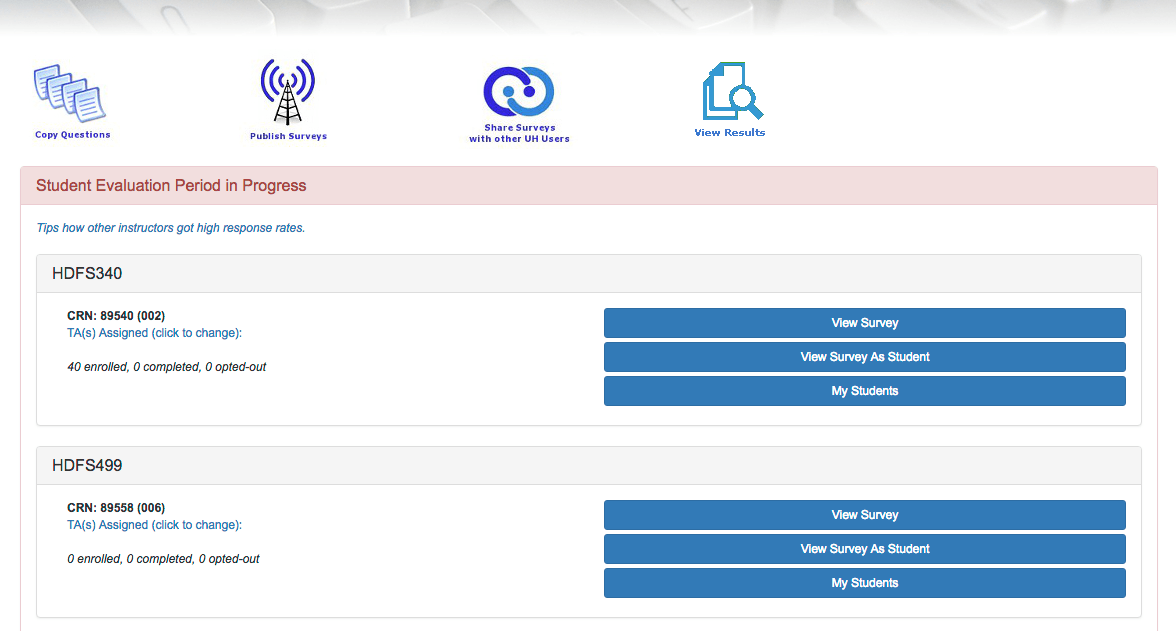
Once the students start taking the survey, if you login to CES you will see updated statistics for each of your classes. It will look similar to this screen. Each CRN has the number of students enrolled, completed, and opted-out.

Screenshot showing two CRNs with the number of students enrolled, number of students completed, and number of students opted out.


This question was submitted by Tina Lee.

Tina Lee HeadshotWhen eCafe first came out I thought I remembered a bunch of questions being available that we could choose from and add into our evaluation. Is there a question bank that we could refer to in case we wanted to revise our evaluation questions?

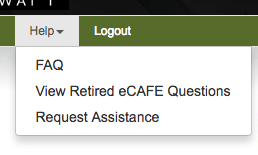
Yes, the questions from Leeward’s paper surveys were collected by Faculty Senate. They can be found on our CES website (scroll to the bottom for links to questions by Division). Additionally, all 300+ old eCafe questions have been archived and are available from within eCafe under Help –> View Retired eCafe Questions.

Help menu - View Retired eCafe Questions


This question was submitted by Erika Molyneux.

Erika MolyneuxI accidentally copied a few questions into my question bank more than once. I made the duplicates inactive, but is there a way to actually delete them from the question bank?

No, sorry, you can’t delete them. You can only make them inactivate. For future reference, once a question has been used in a completed survey, for statistical and historical reasons, the question cannot be changed.


Please continue to share your helpful hints with me and I will share it out.
Email Leanne Riseley: leannech@hawaii.edu

More information at Leeward CC CES site.

November 8, 2018December 14, 2021by leannech
Featured Instructor, Leeward CC

What We Have Learned About CES – Part 3

CES was released on Monday, October 29, 2018. Together, we are learning about this new system. Some wonderful hints and questions have already been shared. By communicating them to you, I hope it will help you as you set up your CES for your class(es).


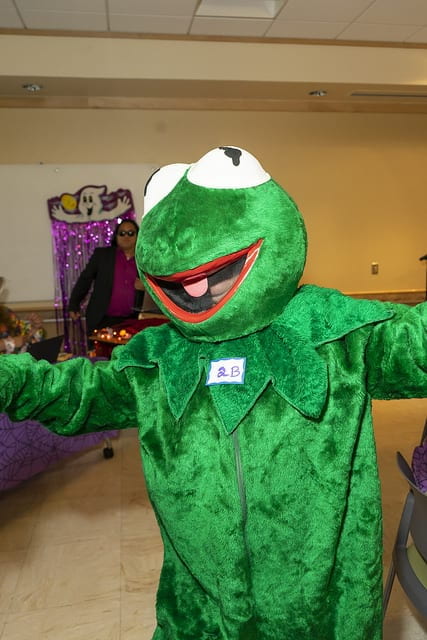
This question was submitted by Kermit the Frog (aka Dottie Sunio)

Kermit the Frog

Can you tell me how I can copy all of the questions from eCafe to CES?  It appears that I have to do it one question at a time.

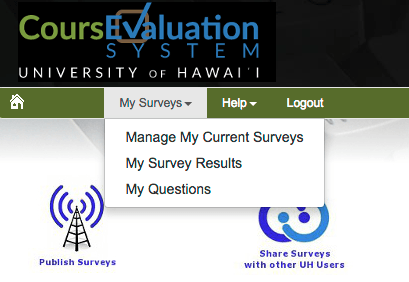
Yes, you are correct. If you have used eCafe in the past, you will have to copy/paste each question one at a time into CES. Your previous eCafe evaluations are archived and can be accessed by logging into CES, then clicking My Surveys –> My Survey Results. Select one of your past surveys and copy/paste your questions into the CES  question pool.

CES screenshot showing My Surveys menu with My Survey Results

You only have to copy your questions into CES this semester. In future semesters your questions/surveys will be in CES and it will be much quicker to create your surveys.


Please continue to share your helpful hints with me and I will share it out.
Email Leanne Riseley: leannech@hawaii.edu

More information at Leeward CC CES site.

November 7, 2018December 14, 2021by leannech
Featured Instructor, Leeward CC

What We Have Learned About CES – Part 2


CES was released on Monday, October 29, 2018. Together, we are learning about this new system. Some wonderful hints and questions have already been shared. By communicating them to you, I hope it will help you as you setup your CES for your class(es).


This question was submitted by John Signor
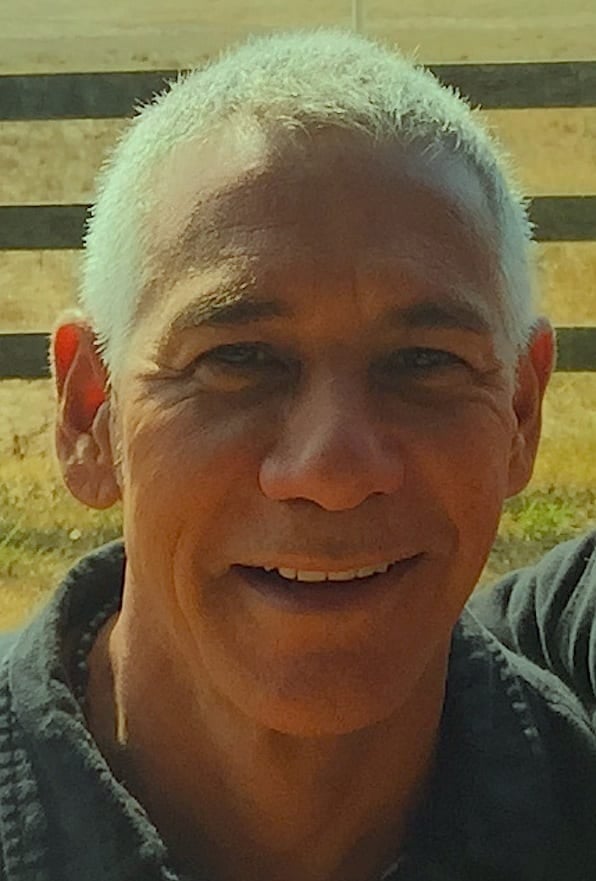
John Signor headshot

May I still use the traditional hard copy evaluation forms this semester and switch to CES next semester?

Yes, you may still use hard copy evaluation forms this semester. Please be aware that your students will be emailed a link to a CES evaluation for your course with a single question (How would you rate the overall quality of this course?).


This is a general question about Early College classes.

Can I use CES for my Early College class?

Absolutely. Early College classes all have CRNs in Banner. Therefore, you may create a CES evaluation for your Early College class just as you would for any other Leeward CC class.


Please continue to share your helpful hints with me and I will share it out.
Email Leanne Riseley: leannech@hawaii.edu

More information at Leeward CC CES site.

November 6, 2018December 14, 2021by leannech

Posts pagination

1 2

Search

Recent Posts

  • Designing for Quality: How the Lamakū Course Starter PLC Has Evolved
  • Adventures in Canva Teams 
  • Lamakū – Intelligent Agents
  • Leeward Lamakū Weekly Tips (Fall 2025)
  • Capturing “My Monumental Summer”: Behind the Scenes With the EMC Video Production Unit

Categories

Recent Comments

  • rinake on Cross-Listed Courses in Laulima
  • Merissa Bunton, Ed. D. on Cross-Listed Courses in Laulima
  • bhirata on An Instructor Preview of Leeward Online Learning Orientation for Students

Archives

Accessibility

UH Accessibility Statement

Proudly powered by WordPress | Theme: Sin by vsFish.
Skip to toolbar
  • About WordPress
    • Get Involved
    • About Edublogs
    • Learn WordPress
    • Edublogs.org
    • Documentation
    • Contact
  • Log In