Skip to content
  • Blog Home
  • EMC Website

Educational Media Center

Leeward Community College

Month: August 2016

EMC

Belonging for Educators

View Belonging for Educators Course

The Mindset Kit is a free set of online lessons and practices designed to help you teach and foster adaptive beliefs about learning.
We are pleased to announce our new beta course on the Mindset Kit: Belonging for Educators.
Belonging is the belief that you are a valued and respected member of a community. When students feel that they belong in school, they:

  • Are more motivated and engaged
  • Have fewer behavior struggles
  • Trust their teachers and peers more
  • Have greater general well-being
  • Show higher academic performance

Belonging is especially important in environments where stereotypes exist against certain groups of students. These students are much more likely to have anxiety related to belonging, which can ultimately deplete students’ cognitive resources and drain their motivation and engagement. This can make it harder for them to succeed and increase achievement gaps.
Fortunately, adults can play a powerful role in shaping students’ experiences in school and helping them feel like they are a part of the community. This course teaches educators what belonging is, why it’s important, and strategies for promoting belonging in the classroom.
The full course will be released over Fall 2016. The first topic, About Belonging, provides an overview to belonging — what is is, and why it’s so vital to students’ success in the classroom
We hope you enjoy the course!
 
Everything about mindset.
 

August 29, 2016by leewardemc
EMC

Fall 2016 Convocation slides

August 29, 2016December 16, 2021by leewardemc
EMC

System: Global media document historic University of Hawai`i Mars simulation

Global media document historic University of Hawaii Mars simulation. (corrected Flickr link)

August 28, 2016December 16, 2021by leewardemc
EMC

The End of the Road for VHS

Visual of VHS Tape

Did you know that Video Home System (VHS) tapes were developed in the early 1970s and introduced into the US in 1977? Most of our current students (and some faculty) weren’t even born then! While popular for more than 20 years, retail chains in the United States announced they would stop selling VHS equipment in the mid-2000s and stop stocking VHS tapes from 2005.

So, what does that mean for Leeward instructors who rely on VHS material in class?

As we all know, equipment breaks down. Over the years, the VHS equipment in the classrooms across campus have been failing and are not being replaced. Even if the campus chose to continue supporting VHS, locating replacement equipment would be nearly impossible.

With the decline of VHS, DVD media became an option several instructors moved to. However, even DVD usage is being phased out.

So, where does that leave you? Transition to online videos! Here are a few options:

  1. Open Videos – there are numerous openly available videos in a variety of disciplines. A few of the sites that provide high quality open videos include Khan Academy, TED talks, Vimeo, and YouTube.
  2. Kanopy and other online video platforms – the Library subscribes to several video streaming platforms providing access to thousands of full-length, high-quality, ad-free films, documentaries, and educational training videos.  The majority of our titles come with closed-captioning or written transcripts.

Can’t find an online video that meets your needs?

You can try to purchase a DVD version of your VHS tape if it available. Alternately, the EMC can transfer your VHS tape to DVD if you obtain written copyright clearance. Keep in mind, this will only be a temporary solution as DVDs are becoming obsolete.

We are here to help

We realize changing what you currently do takes time and effort on your part, but this is also an opportunity to introduce more current and relevant material to your course while using more accessible and flexible technology – and that benefits both you and your students. So, embrace it! And, you are not alone! The Library and Educational Media Center can help you find the resources that will meet your needs!

—

“Visual of the top view of a VHS cassette” is licensed under CC BY-SA 3.0

August 26, 2016November 24, 2021by leannech
EMC

Mahalo for spending your Convocation Week with us

It was so nice to see everyone back from summer break during Convocation Week!

The EMCers hit the ground running before the semester started by offering several opportunities and professional development events during Convocation Week. Many digital badges were awarded to participants who participated and accomplished the events’/workshops’ objectives (perfect for including as evidence in contract renewal / tenure / promotion dossiers). Here’s a quick re-cap of what happened.

Tech It Out Day

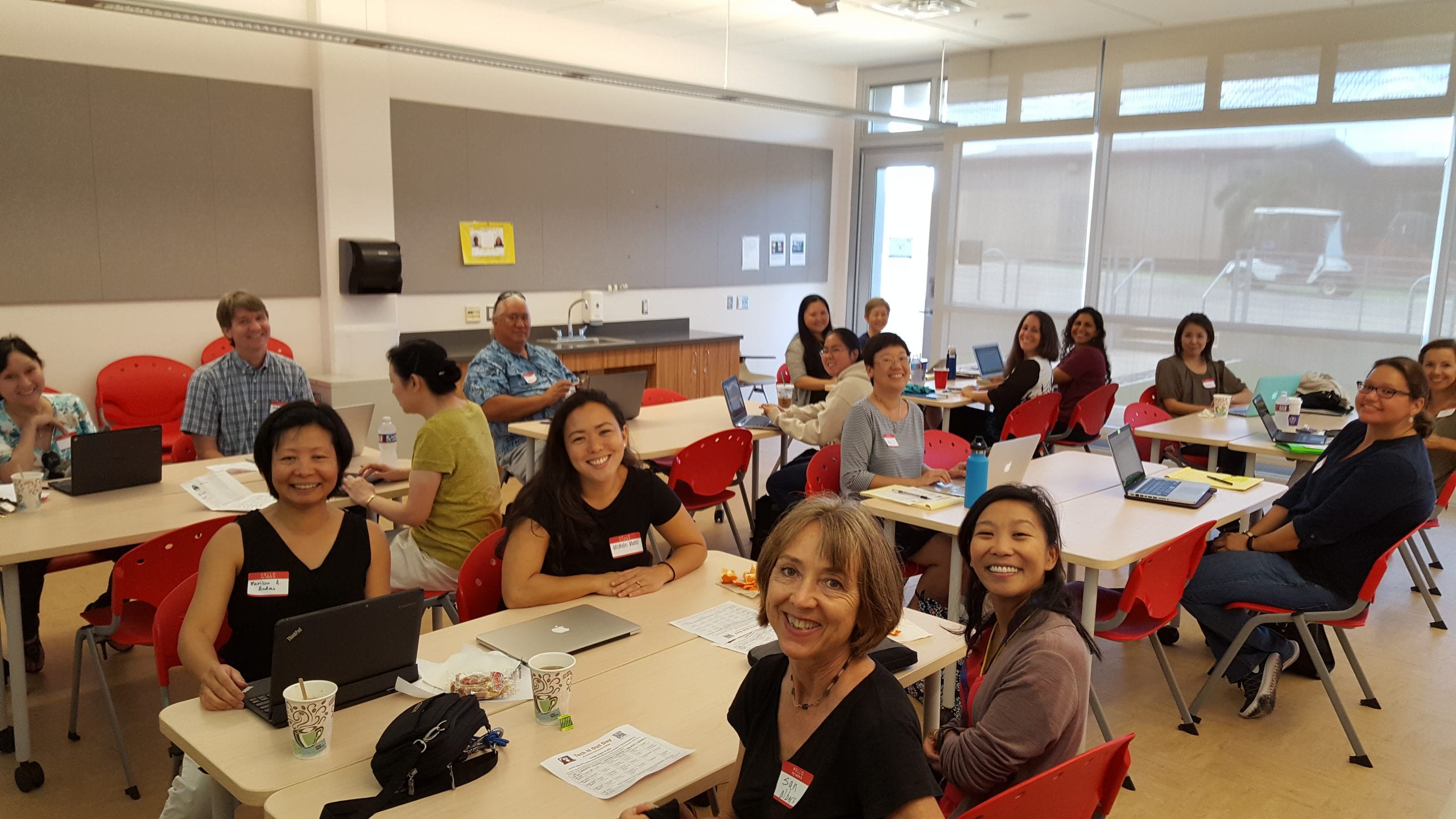
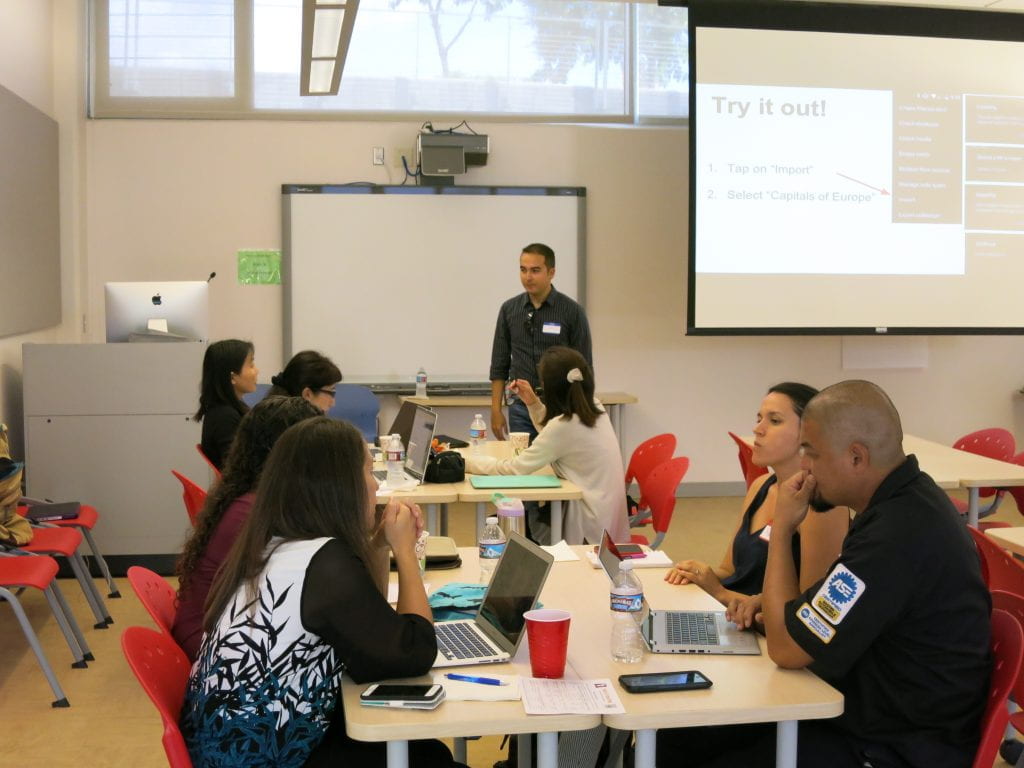
We enjoyed another great Tech It Out Day at Leeward CC on Tuesday, August 16, 2016. Tech It Out Day is an event to explore how technology can enhance teaching and learning in the classroom and online where participants can “test drive” a variety of technology tools, network with peers, and celebrate the start of a new semester.
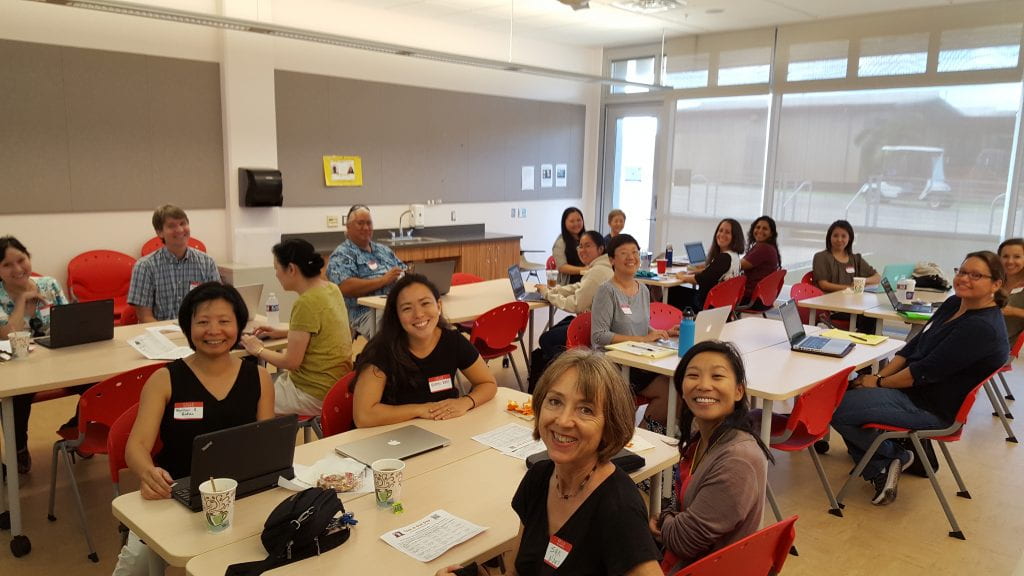
Tech It Out Day session photo

This year, we were fortunate to have some faculty facilitate sessions by sharing how they use technology in their classes and leading folks through getting started with using the technology tools that they shared. A participant said, “Thank you for the short but very useful sessions! I learned a lot without feeling like the workshops went on for too long! Also, these workshops are so helpful, I can definitely use them in classes.” Another participant commented, “Thank you for engaging sessions. They got right to the point and provided immediately useful information and other resources.” Facilitators and participants earned Tech It Out Day 2016 badges for their involvement and participation.

Now that you got to see and try a few new things, if you would like further help using what you learned or tried, feel free to contact us. We’d love to help you take it to the next step.
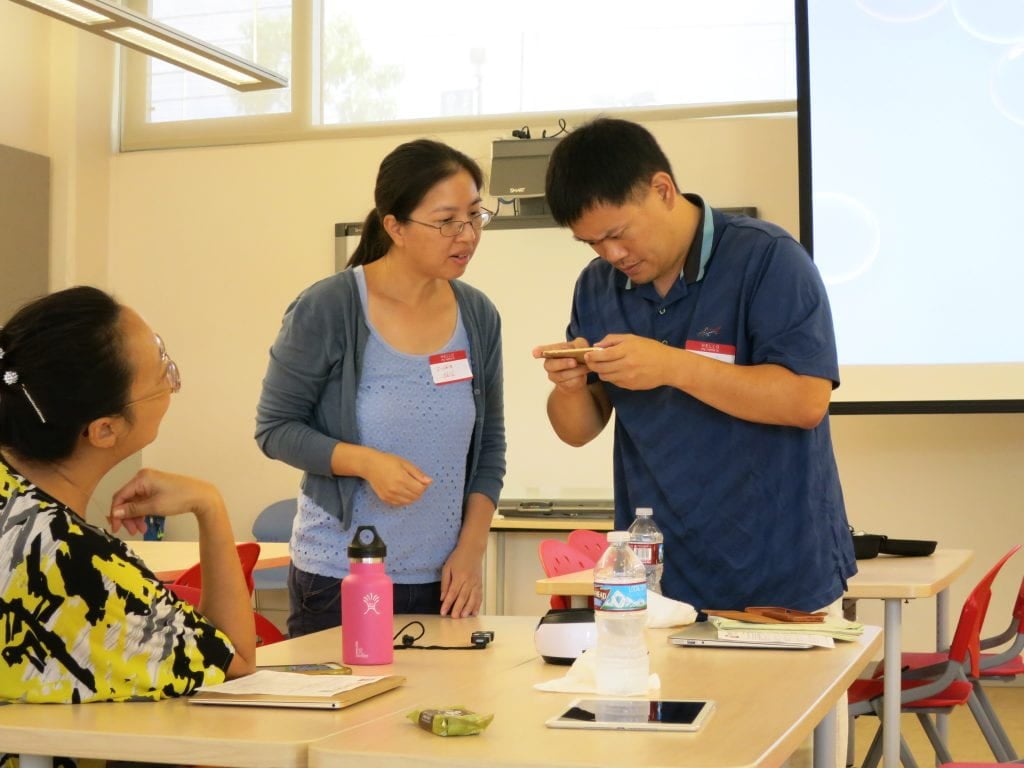
Tech It Out Day faculty looking at swivl

For more photos, check out our Tech It Out Day 2016 album.

Laulima Challenge

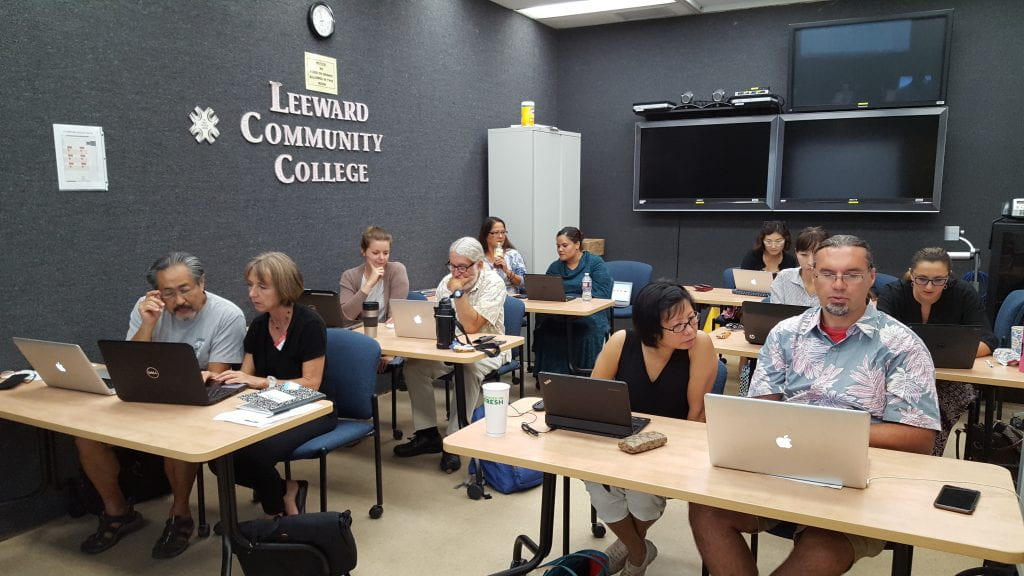
Following Tech It Out Day on Tuesday, we had a full house at the Laulima Challenge workshop, facilitated by Greg Walker, Brent Hirata, and me. Everyone was super engaged and learned how to set up the basic tools in Laulima by working together in pairs to do several tasks in Laulima to complete the Laulima Challenge activity. At completion, they earned the “Laulima Challenge Finisher” badge.
Smart Classroom Challenge

On Wednesday, August 17, 2016, Brent Hirata facilitated two Smart Classroom Challenge workshops where instructors had the opportunity to learn about, troubleshoot, and try out the Smart Classroom technologies. Reef Amano, Electronics Technician at the EMC, was also there to lend a hand answering technical questions about the hardware. Participants appreciated the opportunity to access a typical Smart Classroom as well as the newer Smart Classroom in the Education Building. By completing the Smart Classroom challenge activity, participants earned the “Smart Classroom Challenge Finisher” badge.

Syllabus Makeover Challenge

On Thursday, August 18, 2016, I facilitated the Syllabus Makeover Challenge workshop. We had guest instructor, Michele Mahi, start things off by sharing her visual syllabus. Then, we discussed various syllabus activities and how we can create more value of it for the students through creativity and design, created a basic doc with the textual contents for a syllabus, and then transformed it into a dynamic, purposeful, and visual syllabus. A free Google Slides template was shared and participants learned different ways to share their syllabus with their students. A collection of instructors’ syllabi can be found here. Participants were excited to bring new life into their syllabus and many finished creating their visual syllabi after the workshop. Once they implement and share how things went, they can earn the “Visual Syllabus Creator” badge.

Self-Introduction Video

Convocation week was also an opportunity for folks to record a self-introduction video. A self-introduction video is great to help students get to know you, about the course or service you provide, and establish a connection with you. Visit our growing collection of self-introduction videos by Leeward CC faculty and staff.

See You Around!

We enjoyed our time with you and hope to see you around, work with you, and see you in our upcoming workshops/events this semester. If you haven’t attended our Convocation Week events this semester, we hope that you do next semester!

Upcoming Events

Don’t miss out! Register now for:
  • Gmail Challenge on Tuesday, August 31, 2016 at 1:30-3:00 PM
  • Google Docs Challenge on Tuesday, September 6, 2016 at 1:30-3:00 PM
August 24, 2016December 16, 2021by rinake
EMC

Welcome to the Fall 2016 semester teaching online at Leeward Community College

 
Welcome to the Fall 2016 semester teaching online at Leeward Community College. I hope the following information will help you to get off to a great start in your online courses.

Laulima

Every semester, new Laulima sites are automatically created for every course you teach. It is up to you to set up each course.
Get your Laulima courses ready

  • Turn Laulima tools on and off
  • Copying course material from one course to another
  • Publish & unpublish Laulima courses
  • Managing course tabs (display, hide and re-order)
  • Request a course

Laulima Support

If you have a question about Laulima you may want to refer to Laulima @ Leeward. If you need further help with Laulima please sign-up for an appointment.
 
If students do not see your course in Laulima
If your students do not see your course listed in the blue tab bar, check if it is listed under the under the “My Active Sites” tab. If it is not there, please fill out a “Request Assistance” form and provide detailed information about the course you are looking for.

Laulima Orientation Activity

Face-to-Face Laulima Orientation Activity for New DE Students
The Educational Media Center will be providing a face-to face Laulima Orientation Activity
Saturday August  20th from  8:00-9:00 am Room LC102 for new students on how to use Laulima. All DE students have received email notifications inviting them to the orientation activity.
 
Online Laulima Orientation Activity for New DE Students
The Educational Media Center also provides the Laulima Orientation Activity online for DE students. Here are the directions to complete the activity.
 

  1. Join the De student orientation Laulima course. After you log into Laulima, in the “My Workspace” tab to the left scroll down and click on “membership.”Once that pops up click on joinable sites. Scroll down until you see “DE Student Orientation. If it is not visible at first go to the top right where it says “show 20 items…” Click on the drop bar and click on “show 200 items…” then look for the DE course. Once you find the DE course click “join” right underneath it.After that you can find the course by either scrolling up and clicking on my “My Current Sites” or by clicking the “My Active Sites” tab at the very top of the page
  2. Here is a short video on how to join the DE Student Orientation course in Laulima. http://youtu.be/WR-bT93mkU4
  3. Complete the Laulima DE Orientation Activity Sheet. https://docs.google.com/forms/d/1fIdPkTnyubD8nxGlcsTdj0duv5VXacrbIfyp7DwY_ZM/viewform

Student Evaluations

eCAFE is the ONLY online evaluation system used for distance courses at Leeward Community College. eCAFE is the official application for Course And Faculty Evaluations at the University of Hawaii. It is a UH system wide tool for faculty across all campuses to gather feedback from the students at the end of a course. Instructors and students login with their regular UH username and password. Please be mindful of the set-up period for Course evaluations.
 
Ecafe Online Course Evaluation Basics

Interactive Tutorials for Your Students

Introduction to Online Learning http://apps.3cmediasolutions.org/oei/modules/intro/index.html
Getting Tech Ready http://apps.3cmediasolutions.org/oei/modules/tech/index.html
Organizing for Online Success http://apps.3cmediasolutions.org/oei/modules/organizing/index.html
Online Study Skills and Managing Time http://apps.3cmediasolutions.org/oei/modules/study-time/index.html
Communication Skills for Online Learning http://apps.3cmediasolutions.org/oei/modules/communication/index.html
Online Reading Strategies http://apps.3cmediasolutions.org/oei/modules/reading/index.html


Important Resources

  • iLearn@Leeward is a site dedicated to helping distance students.
  • iTeach– dedicated to helping distance faculty. Here are a few resources you can find at this site.
  • Leeward CC Distance Education Guidelines
  • Leeward Test Center administers on-line testing for Distance Education courses
  • DE Peer Evaluation Form
  • Online Course Examples
  • Adding Guests in Laulima


Fall 2016 Online Workshop

  • The Teaching Online Challenge Starts September 12th. http://blogs.leeward.hawaii.edu/iteach/teachonline/

Need Help?

Finally, if at anytime you need assistance with your online course please email me at:
gmwalker@hawaii.edu
 
I hope you have a rewarding semester. Please feel free to contact me by phone or email if you have any questions or concerns.
 
Thank you,
 
Greg Walker
gmwalker@hawaii.edu
Distance Education Coordinator
455-0551

August 21, 2016by leewardemc
EMC

Tutoring Services and Open Educational Resources

Tutoring Services and Open Educational Resources
Welcome to the 2016 – 2017 Academic Year Fall semester. I would like to take this opportunity to encourage you to share the following FREE TO STUDENTS Academic Support Opportunities with your students and feel free to include this information in your syllabus. I also wanted to give you a brief Open Educational Resources update.
Writing Center – assistance available in person, on line via Skype or by phone. Students may stop by the Writing Center on the 2nd floor of the Learning Commons, call 455-0409 or contact them at “writers@hawaii.edu“.
Learning Resource Center – individual or small group tutoring tutoring available in over 30 content areas. Students may stop by the Learning Resource Center on the 2nd floor of the Learning Commons or call 455-0412.
UH Manoa online tutoring in English and Math – www.manoa.hawaii.edu/ola.
Brainfuse Online Student Tutorial – Brainfuse is a student support program that offers tutorial services in such areas as English, ESL, writing, math, statistics, anatomy, etc.*
Brainfuse Student Instructions:
My UH Portal

  • Log In
  • Click on “My Tools”
  • Look at the right hand column for Brainfuse under “My Class Schedule”
  • Click on “Connect Now”

*Please note that since Brainfuse is an outside company there is a campus cost for this service. It should be encouraged as an individual student resource tool not a mandatory editing requirement for class wide assignments.
Open Educational Resources:
This semester,  200 Leeward classes  have been self-identified by the Instructor as “Textbook Cost: $0”. Leeward leads the UHCC system in the number of courses offered with no textbook costs. The Copy Center will print-on-demand  OER course materials if students prefer. More information may be found at:
https://www.smore.com/cgd9w
Thank you and best wishes for a very successful semester.

Paul Kuehn
Dean of Academic Services
University of Hawai’i
Leeward Community College
“Academic Services provides comprehensive programs, resources, spaces, and events that support and enrich our students, faculty, staff, and community.” Mission Statement

August 21, 2016December 16, 2021by leewardemc
Uncategorized

New! Printing Services for Students of OER Course Materials

As we continue the Open Educational Resources Initiative at Leeward CC, we would encourage those of you who are using OER materials, to share this new service with your students.


Do you prefer to read printed pages rather than on a screen?

If so, we invite you to submit your course materials to the Leeward CC Copy Center. You will only be charged for the pages you print. Binding and three-hole punching is an optional additional charge.
book with glasses and highlighterOERcomb binding

Process

1. Send an email to lccdup@hawaii.edu. Copy the form below into your email and fill it in.

Course: ________________ (Example: ENG 100), Instructor: __________________

Printing:

___ Print all pages

___ Print pages __ to __ of the attached pdf document.

Binding: (Check one)

____ No binding

____ Three-hole punch

____ Comb bind

2. Document must be in .pdf format. Include the .pdf as an attachment to your email.

3. The Leeward CC Copy Center will email you (within 1 business day) from the time that they have received your request. The email will provide you with the total cost of your job.

Printing Costs: $0.05 per page

Comb bind or Three-Hole punch: $1.00 (Photo above right shows comb bind.)

4. Go to the Copy Center located in the General Technology Building First Floor, GT-104. The Copy Center will process your order once you pay. Cash only please.

Copy Center Hours of Operation

Monday – Friday, 8:00 AM – 4:00 PM

Here is a link to the electronic flyer to share with you students.

Save

Save

Save

Save

Save

August 17, 2016December 16, 2021by leannech
EMC, Featured Instructor

SMART Board

This is a special guest blog post by Lani Uyeno, English instructor at Leeward CC.  During the Spring 2016 semester,  Lani participated in our SMART Board Basics orientation.  In her post, she shares an small group classroom reading and discussion activity that incorporates the SMART Board.  We look forward to continue working with Lani to further integrate the SMART Board technology into her instruction.

  One of the difficulties my students face as they begin using outside sources for their essays is to accurately state the main and supporting points of the articles they have read. The further the topic is from their own experiences, the harder it is for students to comprehend and use the information from their selected articles. Although my students complete a process analysis essay on the topic of annotation,  they needed more practice applying the process. The SMART Board was a perfect vehicle to practice annotating a text.

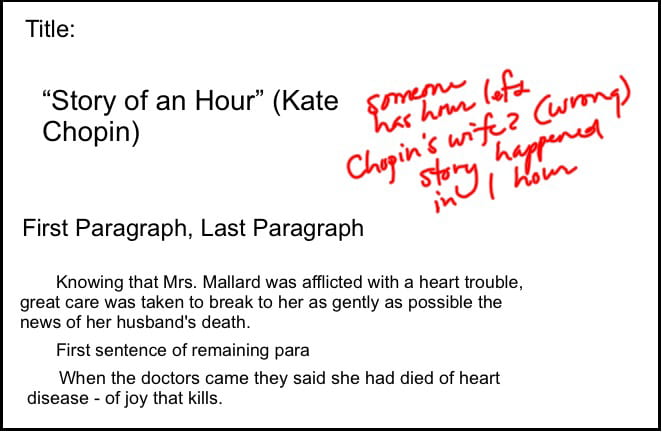
  To begin the process, I had students preview a copy of “The Story of an Hour” by Kate Chopin, asking them to read the title and make a prediction or ask questions, and then to read the first paragraph, the first sentence of the remaining paragraphs, and the last paragraph to get a sense of the whole. This part of the process was done in four minutes. Students then shared their predictions as I jotted notes on the SMART Board slide.

Click to enlarge

  In the second part of the process, students were given eight minutes to read and respond to the entire selection. Students marked main ideas, identified key words, and jotted questions in the margins of the reading selection. Students were asked to review their markings and to answer any questions they had posed earlier.

  In teams, students shared their responses for specific sections of the selection, and each team came to the SMART Board to jot down their annotations. Here is a sample marked section.

  We completed the activity with a summary of the selection — three minutes of writing addressing “What is ‘The Story of an Hour’ about?” One student wrote, “Mrs. Mallard receives the news about her husband’s death and is filled with grief but later feels joy because of the freedom she experiences that she will no longer be controlled by her husband. As she is walking down the stairs with her sister, it is revealed that her husband is alive. She dies from shock, but others think she has died of heart failure from happiness.”

Click to enlarge

  To complete the process, students assessed their level of comprehension after applying the annotation process. In a three-minute focused freewrite, students responded to the question “How did the annotation process help with your understanding of the story?” Several pointed out the process made “hard to understand parts” clearer, forced them to ask questions  about the character and plot, and helped them keep track of terms and sections that were difficult to understand. One student wrote, “The process makes me stay active, so I didn’t get side-tracked. I could look back and compare my first impressions with my later understanding.”

  The SMART Board allows teachers to take snapshots of the slides produced in class and to turn the written parts into text. After the activity was complete, I took all of the teams’ comments and “translated” them, and then posted them to Laulima for review. In later classes, students were asked to take turns presenting their annotations for other reading selections.


August 15, 2016December 7, 2021by bhirata
EMC

Orientation to Smart Classroom (Wednesday)


smartclassroom-jeff

Over 60% of Leeward Community College instructional spaces are designated “Smart Classrooms.” These rooms contain the necessary audio, visual, computer and network infrastructure to support 21st century teaching and learning.

Register for the Smart Classroom Challenge on Wednesday, August 17 at 3:00-4:00 PM, to learn how to operate Smart Classroom technologies to support classroom instruction by working with a partner to create an engaging learning activity for students that uses Smart Classroom technologies.

Will you be teaching in the Education Building? Register for the Smart Classroom Challenge (Ed Building) on Wednesday, August 17 at 4:00-5:00 PM.

August 15, 2016December 7, 2021by bhirata

Posts pagination

1 2

Search

Recent Posts

  • Designing for Quality: How the Lamakū Course Starter PLC Has Evolved
  • Adventures in Canva Teams 
  • Lamakū – Intelligent Agents
  • Leeward Lamakū Weekly Tips (Fall 2025)
  • Capturing “My Monumental Summer”: Behind the Scenes With the EMC Video Production Unit

Categories

Recent Comments

  • rinake on Cross-Listed Courses in Laulima
  • Merissa Bunton, Ed. D. on Cross-Listed Courses in Laulima
  • bhirata on An Instructor Preview of Leeward Online Learning Orientation for Students

Archives

Accessibility

UH Accessibility Statement

Proudly powered by WordPress | Theme: Sin by vsFish.
Skip to toolbar
  • About WordPress
    • Get Involved
    • About Edublogs
    • Learn WordPress
    • Edublogs.org
    • Documentation
    • Contact
  • Log In